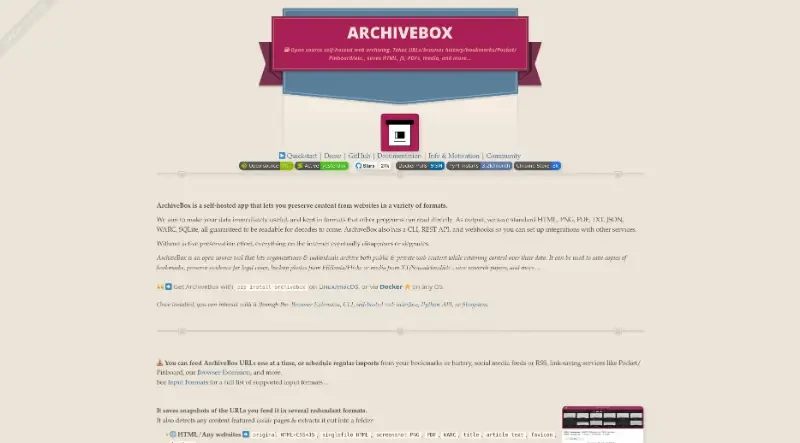
ArchiveBox takes a list of website URLs you want to archive, and creates a local, static, browsable HTML clone of the content from those websites (it saves HTML, JS, media files, PDFs, images and more).
ArchiveBox is a powerful, open-source, self-hosted web archiving solution designed to preserve content from the internet in various durable and human-readable formats.
The principal functionalities of this tool include:
1. Comprehensive Input and Automated Scheduling
Diverse Ingestion: It can ingest URLs from browser history, bookmarks (Chrome, Firefox, Safari, etc.), RSS feeds, and social media platforms like Reddit and Twitter.
Scheduled Imports: Users can set up regular crawls to automatically pull in fresh content from feeds and websites without manual intervention.
Browser Extension: Provides a way to archive pages in real-time while browsing.
2. High-Fidelity, Multi-Format Snapshots
Redundant Output: For every URL, it creates a "Snapshot" folder containing the original HTML, a single-file HTML version, a PDF, and a PNG screenshot.
Media and Code Extraction: It automatically clones Git source code repositories and downloads audio/video files (including subtitles and metadata) using tools like
yt-dlp.Durable Standards: It saves data in long-term formats like JSON, WARC, and TXT, ensuring your archive remains readable for decades even without the ArchiveBox software.
3. Privacy and Data Sovereignty
Self-Hosted Control: Users maintain full ownership of their data and privacy by hosting the application locally on their own hardware.
Authenticated Archiving: Advanced users can archive content behind paywalls, logins, or cookies by setting up "personas" that share browser session data.
No Proprietary Formats: It uses standard tools like
wgetand headless Chrome to store data in ordinary files and folders rather than complex, locked databases.
4. Versatile Management Interfaces
Multiple Access Points: It can be managed through a powerful CLI, a self-hosted Web UI (public and admin versions), or via Python and REST APIs.
Flexible Deployment: While Docker is the recommended method for security and ease of use, it can also be installed via
pip,apt,brew, and other package managers.
5. Professional and Research Utilities
Redundancy: By default, it can save pages to
archive.orgas a secondary backup.Integrations: Supports professional workflows for journalists, lawyers, and researchers, including LLM training data pipelines and chain-of-custody audit logging.
You may also be interested in ...
Zeroform

Notyf