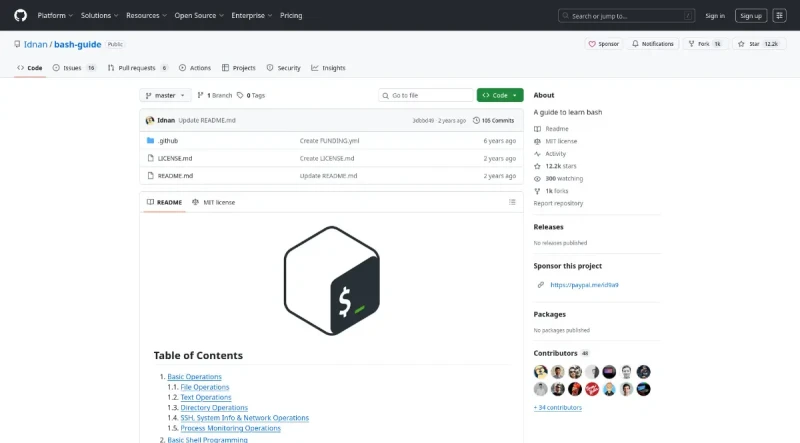
A guide to learn bash: basic operations, basic shell programming, tricks and debugging.
This bash-guide is an open-source educational guide hosted on GitHub designed to help developers learn and master the Bash shell programming language.
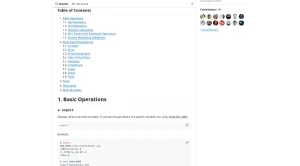
Its main features are structured into comprehensive sections covering both command-line operations and shell scripting fundamentals:
I. Comprehensive Basic Operations (CLI Commands)
The guide details various commands used for interacting with the Linux/UNIX command line:
File Management (1.1): Includes utilities for viewing, copying, and manipulating files such as
cat,cp,mv,rm,touch, andfind. It also covers file permissions usingchmod(change mode) andchown(change owner), and compression/decompression utilities likegzipandgunzip.Text Processing (1.2): Focuses on powerful commands for filtering and transforming text, including
awk(for line-by-line processing and field separation),grep(searching text inside files, including recursive search and case-insensitive options),sed(stream editing),sort,tr(translate/delete characters, used for case conversion), anduniq(reporting unique/repeated lines).Directory Operations (1.3): Explains basic navigation with
cd(change directory), directory creation withmkdir(including creating parent directories using-p), and locating the current directory withpwd.System and Network Operations (1.4): Covers utilities for system information (
uname,uptime), displaying environment variables (export), checking process status (ps,top), and networking/remote access (ssh,scp,rsync,dig,ping,curl,wget).Process Monitoring (1.5): Includes commands for terminating processes (
kill,killall), and managing background execution using&andnohup(No Hang Up).
II. Basic Shell Programming and Scripting (2.0)
This section focuses on writing executable scripts in Bash:
Script Fundamentals: Details the use of the
shebangline at the start of a script (e.g.,#! /usr/bin/env bash).Variables and Arrays: Explains variable creation (without data types) and retrieval using
$, as well as using zero-based arrays. It also covers advanced variable expansion for conditional returns and substring operations.String Manipulation: Provides syntax for string substitution (replacing or deleting patterns from the beginning/end of a string), string tricks for case conversion (e.g.,
^,,), and conditional pattern matching using[[ ... ]].Functions: Defines how to declare and call functions, including how to pass and retrieve arguments (
$1).Conditionals and Loops: Details the use of
if/then/elsestatements and provides a detailed list of expression operators (e.g., file existence-e, read permission-r, numeric comparisons-lt,-eq). It also includes syntax forcasestatements andfor,while, anduntilloops.Regular Expressions (Regex): Offers an overview of regex metacharacters in Bash, including how to use dot (
.), asterisk (*), plus (+), and grouping (()) with examples.Pipes: Explains how to link multiple commands using the pipe symbol
|to connect standard-output to standard-input.
III. Tricks, Debugging, and Multi-threading (3.0 - 5.0)
Tricks: Provides practical tips, such as setting aliases in
~/.bash_profile, quickly accessing directories, re-executing previous commands using!!(or withsudo), and usingtrapfor cleanup on exit.Debugging: Offers simple ways to debug scripts using
bashcommand options:-n(syntax check only),-v(echo commands before running), and-x(echo commands after processing).Multi-threading: Shows how to run jobs simultaneously in the background using
&and wait for them to finish using thewaitcommand.
IV. Platform Context (GitHub Features)
As a GitHub repository, the guide benefits from platform features supporting its structure and community:
Collaboration: It supports contributions via Pull Requests and is available in multiple translations (e.g., Chinese, Russian, Spanish, Turkish).
Popularity: The repository is highly popular, boasting 12.2k stars and 1k forks.
GitHub Ecosystem: The platform integrates tools like GitHub Copilot (for writing code with AI), Codespaces (for instant dev environments), Actions (for automating workflows), and GitHub Advanced Security (for finding vulnerabilities).

You may also be interested in ...

Animxyz
Responsive Images the Simple Way