CapRover is an extremely easy to use app/database deployment & web server manager for your NodeJS, Python, PHP, ASP.NET, Ruby, MySQL, MongoDB, Postgres, WordPress (and etc...) applications!
CapRover is a free, self-hosted Platform as a Service (PaaS) designed to simplify the deployment and management of applications and databases.
Here is a summary of CapRover's main features and functionalities:
I. Core Purpose and Technology Stack
Self-hosted PaaS: CapRover is a Scalable, Free and Self-hosted PaaS. It aims to reduce the cost of deployment, offering the same server capacity that might cost $50/month on services like Heroku or Microsoft Azure for as little as $6/month on a service like DigitalOcean.
"It Just Works" Deployment: The platform is designed to make app/database deployment and web server management extremely easy to use. It allows developers to go from
http://localhost:3000tohttps://www.awesome.comin seconds.Underlying Technologies: CapRover is robust and fast because it utilizes several established technologies: Docker Swarm for containerization and clustering, nginx for load-balancing, and Let's Encrypt for free SSL (HTTPS). It also uses NetData.
II. Application and Language Support
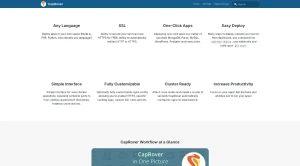
Any Language Deployment: CapRover supports deploying applications written in virtually any language. This includes popular environments such as NodeJS, Python, PHP, ASP.NET, Ruby, and Java.
One-Click Applications: It simplifies the deployment of databases and applications through One-Click Apps. Deploying these apps is a matter of seconds. Supported examples include MySQL, MongoDB, Postgres, WordPress, and Parse.
III. Interface and Workflow
Dual Interfaces: CapCaptain provides both a Web GUI for ease of access and convenience, and a CLI (Command Line Interface) for automation and scripting.
Easy Deployment Methods: Developers have multiple ways to deploy their code:
Uploading the source directly from the dashboard.
Using the command line with
caprover deploy.Utilizing webhooks to build upon
git push.
Simplified Docker Operations: The Simple Interface handles many underlying Docker operations, such as exposing container ports to the host, setting up persistent directories, and managing the instance count.
IV. Security, Customization, and Scalability
Free SSL (HTTPS): CapCaptain integrates Let's Encrypt to secure services over HTTPS for FREE. It also offers the ability to automatically redirect HTTP to HTTPS.
Full Customization: While CapCaptain handles basic operations automatically, it caters to advanced users by allowing them to customize any specific settings. This includes optionally customizing the nginx config to enable HTTP2, specific caching logic, and custom SSL certs.
No Vendor Lock-in: A critical feature is No lock-in! Users can remove CapCaptain and their deployed applications will keep working.
Cluster Ready: Users can attach more nodes and create a cluster in seconds. CapCaptain automatically configures nginx for load balancing across the cluster.
CapRover's primary benefit is allowing developers to increase productivity by focusing on their apps rather than the tedious setup, configurations, and server maintenance.

You may also be interested in ...

Responsively

Vue Chartjs