
Learn how to compare two dates in JavaScript with various methods by Saruque Ahamed Mollick.
This tutorial details the methods for comparing two dates in JavaScript.
The principal methods or "functionalities" described for date comparison are:
Using Relational Operators: You can compare two dates to determine which one is greater or smaller using the relational operators:
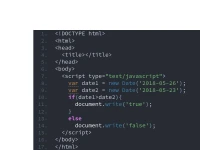
<,>,<=, and>=. Examples demonstrate that comparingdate1(2018-05-26) todate2(2018-05-23) using these operators yields the expected boolean output (e.g.,date1 > date2istrue, anddate1 < date2isfalse).Using
getTime()for Equality Comparison: You cannot use the equality or inequality operators (==,!=,!==,===) directly to compare the value of a date object. If two dates with identical values are compared using==, the result will befalse. If you want to use these equality operators to compare dates, you must employ thegetTime()method. WhengetTime()is used on both dates (e.g.,date1.getTime() == date2.getTime()), the comparison successfully yieldstruefor matching dates.
You may also be interested in ...

Dayjs
Moment JS