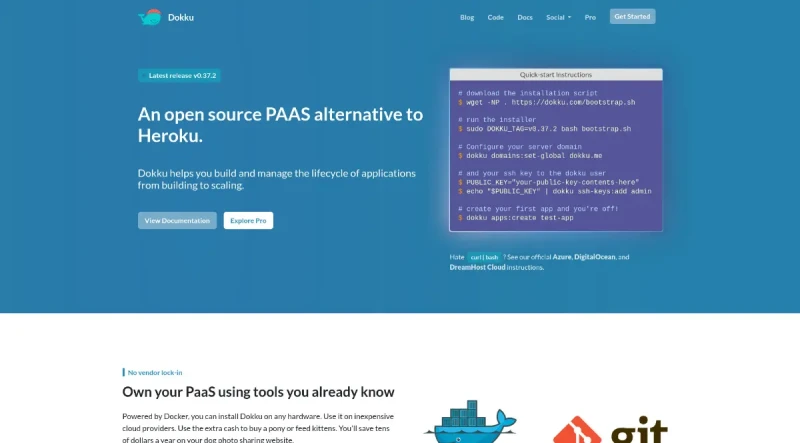
Dokku is a Docker powered mini-Heroku in around 200 lines of Bash that lets you set up your own Platform-as-a-Service infrastructure at a fraction of the cost. This makes it possible for you to host your own apps with all of the features offered by an actual provider like Heroku. (- Dave Kiss)
Dokku is an open-source PAAS (Platform as a Service) alternative to Heroku. It is characterized as "The smallest PaaS implementation you've ever seen".
Here are its primary features and functionalities:
1. Architecture and Core Functionality
PAAS Implementation: Dokku helps users build and manage the lifecycle of applications from the initial building phase through scaling.
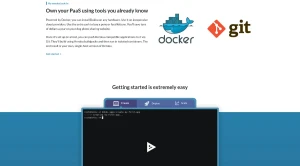
Powered by Docker: The platform is built and powered by Docker. This allows users to install it on any hardware and utilize it on inexpensive cloud providers.
Single-Host Heroku: The end result is the user's own, single-host version of Heroku.
Isolated Containers: Deployed applications run in isolated containers.
No Vendor Lock-in: By owning their PaaS, users leverage tools they already know and avoid vendor lock-in.
2. Deployment Workflow
Heroku Compatibility: Once Dokku is set up on a host, users can push Heroku-compatible applications to it via Git.
Buildpacks: Applications automatically build using Heroku buildpacks.
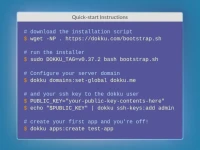
Quick App Creation: Users can quickly create a new app using the command
dokku apps:create test-app.
3. Extensibility and Customization
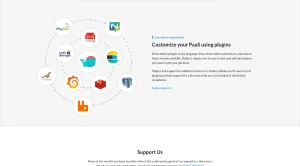
Plugins: Dokku is designed to be extensible and customizable through a robust plugin system.
Plugin Development: Users can write Dokku plugins in any language, share them, and extend existing ones.
Core Structure: Dokku itself is built out of plugins. Plugins are essential for adding additional features beyond the default installation.
4. Setup and Support
Installation: Installation is simple using a
bootstrap.shscript that can be downloaded and run. Setup requires configuring the server domain and adding an SSH key to thedokkuuser.Support: The community offers support via Discord, Slack, IRC, and GitHub Discussions.
Pro Version: A Pro version is available for users needing features not covered in the open-source release.
You may also be interested in ...
Greensock

Lightning Web Components