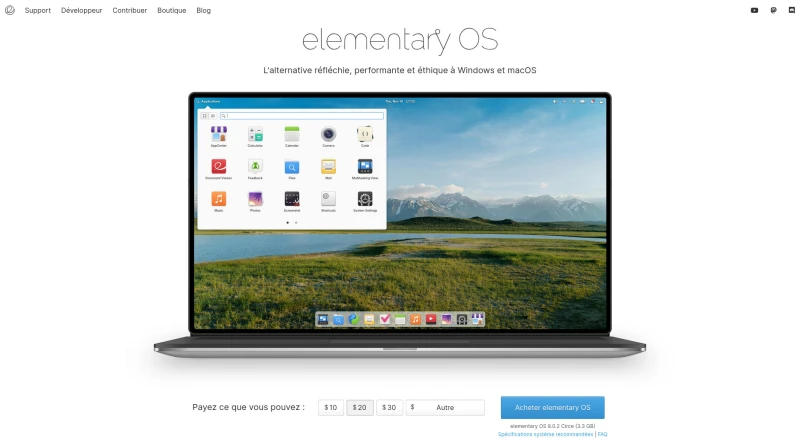
The fast, open, and privacy-respecting replacement for Windows and macOS.
Elementary OS 8, which is positioned as a thoughtful, high-performance, and ethical alternative to Windows and macOS. It is entirely Open Source, built upon the foundation of Free Software (GNU/Linux), and designed to be easy to understand, even for new users.
The principal functionalities and features of elementary OS 8 are:
Core System and Security
Secure Session: elementary OS 8 introduces a secure session that ensures applications respect user privacy and require explicit consent.
Privacy Focus: The OS is designed to be secure and privacy-respecting. User data always belongs to the user; the company does not run advertising or collect sensitive personal data.
Open Source Platform: The entire platform is open-source, allowing anyone to verify that the software is secure and does not collect or disclose personal information.
Monitoring and Permissions: The OS provides indicators when an application uses the microphone or consumes significant battery power. Applications must request permission before accessing data or devices, and users can revoke these permissions via System Settings.
Automatic Cleaning: The system automatically tidies temporary and deleted files, freeing up storage space and ensuring private data does not remain accessible.
Productivity and User Experience
Multitasking Tools: Features are included to keep users productive and focused, such as the Multitasking View and Do Not Disturb mode, which pauses notifications.
New Dock: A new Dock includes productive multitasking and window management functions.
Workspaces: Allows users to organize their work by task, easily separating work and leisure.
Picture-in-Picture (PiP): This mode lets users keep an eye on a video or game while working on another task (like a terminal).
Keyboard Shortcuts: The OS is designed with powerful and customizable keyboard shortcuts to maintain productivity.
Application Ecosystem
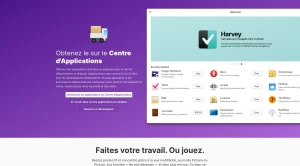
AppCenter: elementary OS features the AppCenter, an open-source and pay-what-you-can app store. Every application in the AppCenter is reviewed by elementary to ensure a native, privacy-respecting, and secure user experience.
Default Applications: The OS includes a carefully curated set of daily-use applications, ensuring users can spend more time using their computer and less time removing unnecessary pre-installed software. These apps include:
Music: For organizing and playing music, featuring fast search and playlist creation.
Web: A fast and light browser designed to protect privacy and battery life.
Mail: Manages multiple accounts with conversation grouping and rapid searching.
Photos: For importing, organizing, editing photos, creating slideshows, and sharing.
Videos: Offers smart viewing with library management, thumbnail previews, and subtitle support.
Calendar: Easily views and creates events, synchronized with online accounts.
Files: Features easy navigation via breadcrumbs, tabs, and tab history.
Terminal: Includes features like changeable color palettes (to reduce eye strain), smart naming, and notifications for completed tasks.
Code: A custom-built editor featuring autosave, project folders, Git integration, minimap, and support for extensions and Vala symbols.
Camera: For taking photos or videos easily using an integrated or USB webcam.
Parental Controls
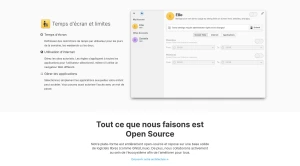
Screen Time and Limits: Users can define time restrictions per user for weekdays, weekends, or both.
Internet and App Management: Tools allow managing authorized websites and selecting which applications a child can access, with the option to authorize access via a password.
You may also be interested in ...
Ageless Linux
Postmarketos

DistroSea