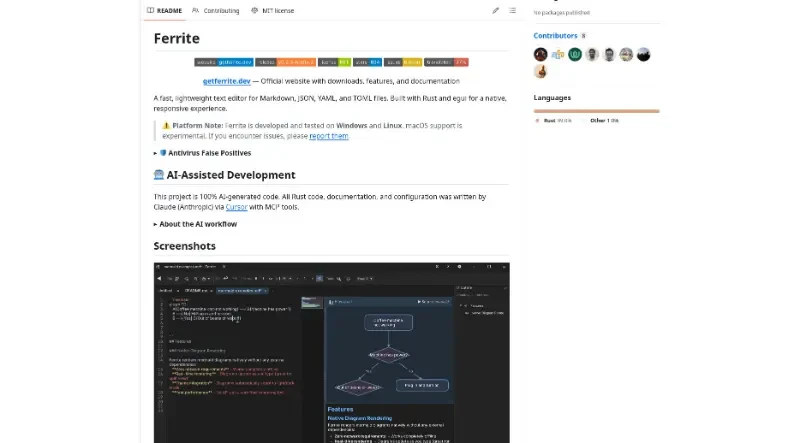
A fast, lightweight text editor for Markdown, JSON, YAML, and TOML files. Built with Rust and egui for a native, responsive experience.
Ferrite is a fast and lightweight text editor specifically designed for Markdown, JSON, YAML, and TOML files. Built using the Rust programming language and the egui framework, it provides a native and responsive experience across Windows and Linux, with experimental support for macOS. Notably, the project's code is 100% AI-generated using Claude via Cursor.
The main features of this tool include:
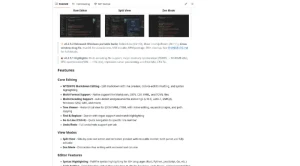
Versatile Markdown Editing: The editor offers WYSIWYG editing with live previews, click-to-edit formatting, and a Zen Mode for distraction-free writing. It also features a Split View that displays the raw editor and rendered preview side-by-side.
Multi-Format and Encoding Support: Beyond Markdown, it provides native support for JSON, CSV, YAML, and TOML. It can automatically detect and preserve a wide range of file encodings, such as UTF-8, Latin-1, and Shift-JIS.
Advanced Data Visualization: For hierarchical files like JSON or YAML, it includes a Tree Viewer with inline editing. It also features a CSV/TSV Viewer that presents data in a formatted table with rainbow column coloring for better readability.
Integrated Diagrams and Media: Ferrite can natively render 11 types of MermaidJS diagrams (such as flowcharts and mindmaps) directly in the preview. It also supports drag-and-drop image insertion, which automatically saves files to an assets folder and creates the Markdown link.
Comprehensive Developer Tools: The editor includes syntax highlighting for over 40 languages, code folding, bracket matching, and a semantic minimap for navigation. A unique "Live Pipeline" feature allows developers to pipe document content through shell commands like
jqorgrep.Workspace and Git Integration: Users can open entire folders in Workspace Mode, which provides a file tree, a quick switcher (Ctrl+P), and a "search-in-files" function. It also features visual Git status indicators to show modified, added, or untracked files.
Privacy and Portability: Ferrite is a fully offline application that does not make network connections or access private browser data. For Windows users, a true portable mode is available, allowing the app and all its settings to run entirely from a USB drive without installation.
Customization: The interface supports Light and Dark themes, custom font selection, and the ability to rebind keyboard shortcuts via a settings panel.
You may also be interested in ...
Keystatic

Cally