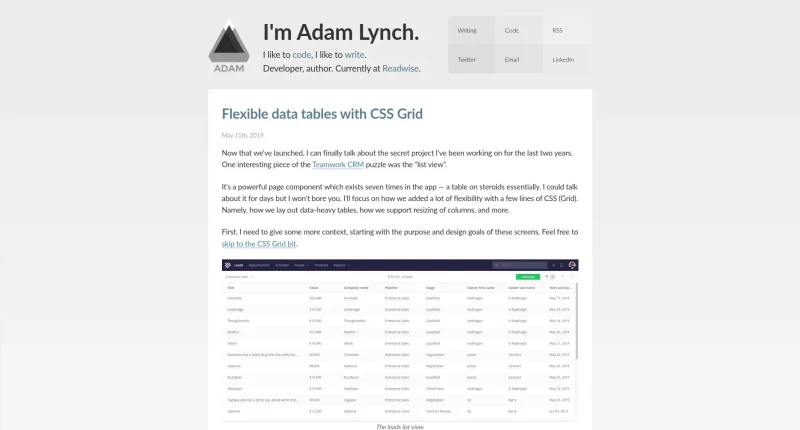
Adam Lynch explains in this post how he lays out data-heavy tables, how he supports resizing of columns, and more.
Flexible data tables with CSS Grid is an engineering case study by Adam Lynch detailing how Teamwork CRM implemented responsive, resizable, and data-heavy list views using CSS Grid and native HTML table elements.
The core technical features and design strategies covered in the article include:
Responsive Multi-Device Layout: Stacks data columns vertically on narrow mobile screens and expands into a full multi-column data table on wider viewports.
Grid Flattening with
display: contents: Appliesdisplay: gridto the<table>element anddisplay: contentsto<thead>,<tbody>, and<tr>elements. This bypasses wrapper rows, promoting individual<th>and<td>cells to directly participate as grid items in a single unified table grid.Data-Type Aware Sizing: Uses
grid-template-columnswithminmax()and fractional (fr) units (e.g.,grid-template-columns: minmax(150px, 1.33fr) minmax(150px, 2.33fr)) to automatically allocate wider max proportions to long text columns compared to compact date columns.Smooth Interactive Column Resizing: Listens for mouse events on column handles to recalculate widths via
requestAnimationFrame. It updates thegrid-template-columnsproperty on the<table>element, avoiding costly DOM updates across every individual table cell.Fixed-Width Locking & Persistence: Automatically converts fluid
frcolumns into fixed pixel measurements as soon as a user manually resizes any column, preventing unpredictable side effects on adjacent columns and saving user preferences inlocalStorage.Architectural Trade-Off Analysis: Evaluates and rejects alternatives—avoiding Flexbox (which spaces rows independently),
<colgroup>(too limited for dynamic fluidity), and heavy JS libraries—while advising caution withdisplay: contentsdue to potential browser accessibility and screen reader bugs.
You may also be interested in ...
CSS Layout Generator
Hexagonal Grids
CSS Grid videos tutorial