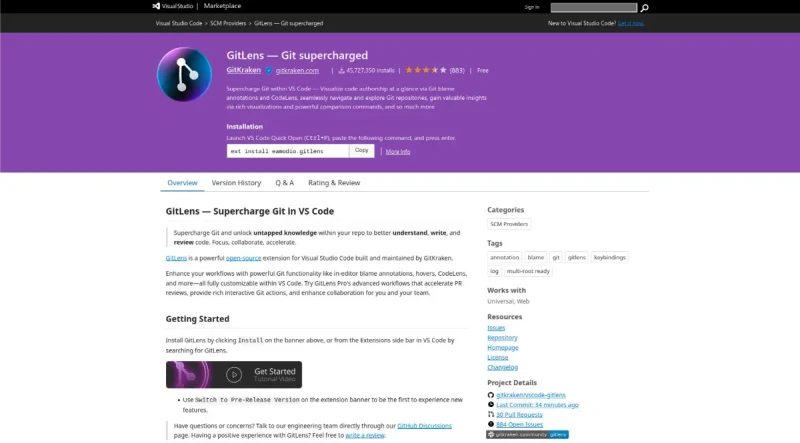
GitLens by Eric Amodio Supercharge the Git capabilities built into Visual Studio Code — Visualize code authorship at a glance via Git blame annotations and code lens, seamlessly navigate ...
GitLens — Git supercharged is an open-source extension for Visual Studio Code (VS Code), built and maintained by GitKraken. Its main purpose is to supercharge Git functionality and unlock untapped knowledge within repositories to help users understand, write, and review code.
GitLens offers two editions: Community (Free) and Pro (Advanced).
I. Core Code History and Authorship (Community Features)
GitLens simplifies understanding code history by providing contextual information and insights through various annotations and views:
Blame Annotations: Visualizes code authorship at a glance. This includes Inline and Status Bar Blame, which provide unobtrusive historical context about line changes.
Git CodeLens: Adds contextual and actionable authorship information at the top of each file and the beginning of each code block. This includes the author and date of the most recent commit and the number of authors.
Rich Hovers: When hovering over blame annotations, rich details and actions are revealed.
File Annotations: Allows on-demand whole file annotations to display authorship, recent changes, and a heatmap (visual indicators) directly in the editor.
Revision Navigation: Enables navigation backwards and forwards through the history of any file to compare changes over time.
Side Bar Views: Provides organized views like GitLens Inspect (an "x-ray" into the code, offering commit details, line history, file history, and search & compare functionalities) and Source Control views (managing Commits, Branches, Stashes, Tags, Contributors, and Repositories).
Comprehensive Commands: Provides a rich set of commands, including a guided, step-by-step experience through the Git Command Palette.
II. Advanced Workflow and Collaboration (Pro Features)
GitLens Pro unlocks seamless integrations and advanced workflows designed to accelerate PR reviews and collaboration:
Commit Graph Pro: Allows users to easily visualize the repository history. It supports executing advanced actions like rebase and merge, along with powerful search and filtering capabilities (by commit, message, author, or file).
Accelerate PR Reviews: Reduces context switching and manages all Pull Requests (PRs) in one place.
Launchpad Pro: A centralized PR hub that consolidates all GitHub pull requests into a unified, actionable list, helping teams prioritize reviews.
Worktrees Pro: Enables efficient multitasking by allowing users to work on multiple branches simultaneously without disrupting the main workspace or stashing changes, perfect for reviewing PRs.
Streamline Collaboration:
Cloud Patches (Preview): Allows users to privately and securely share code changes (from work-in-progress, commit, or stash) via a link for early feedback, without cluttering the repository.
Code Suggest (Preview): Enables suggesting code changes directly from the IDE during a review, providing feedback on any part of the project (not just lines changed in a PR).
Visual File History Pro: Allows users to quickly see the evolution of a file, detailing when changes were made, how large they were, and who made them.
Interactive Rebase Editor: Provides an intuitive, user-friendly tool to visualize and configure interactive rebase operations using drag & drop to reorder or select commits to edit, squash, or drop.
Cloud Workspaces (Preview): Helps group and manage multiple repositories together, accessible from anywhere.
III. AI Acceleration (Preview Features)
GitLens leverages AI to simplify tedious tasks, allowing developers to focus on coding:
Generate Commit and Stash Messages: Quickly creates descriptive messages tailored to code changes.
Explain Commits: Provides concise AI-generated explanations of commits in the Inspect view.
Open Pull Requests: Automatically generates clear PR titles and descriptions based on branch changes.
Generate Changelogs: Effortlessly summarizes repository changes for release notes.
Note: Pro features grant access to all AI features via GitKraken AI without requiring manual key management.
IV. Integrations and Workflow Hub
Integrations: Simplifies workflows with automatic linking of issues and pull requests across multiple Git hosting services, including GitHub, GitLab, and Bitbucket. Rich integrations (with GitHub, GitLab, and Jira) provide detailed hover information, correlation between PRs/branches, and user avatars. Users can also define their own autolinks for external references (like Jira tickets).
Home View: A powerful, compact hub in VS Code that allows users to manage tasks, issues, and create PRs, helping developers reduce context switching and stay focused.
You may also be interested in ...
Popmotion
Live Theming with CSS Variables