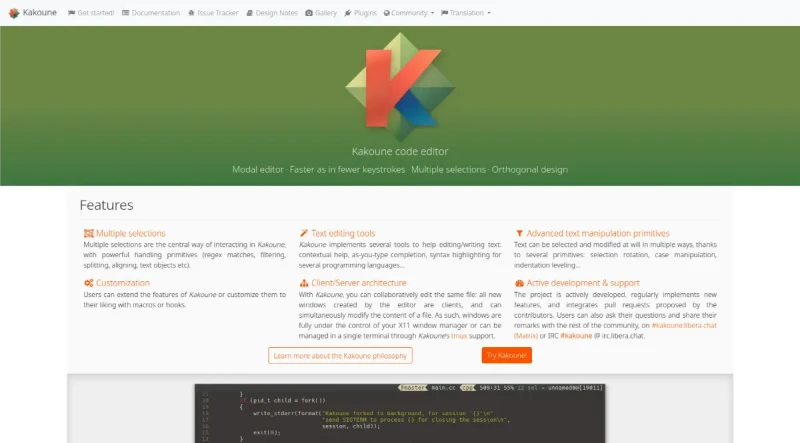
Kakoune is a code editor that implements Vi’s "keystrokes as a text editing language" model. As it’s also a modal editor, it is somewhat similar to the Vim editor (after which Kakoune was originally inspired).
Kakoune is an open source, modal text editor. It was developed to provide a better code editing environment than traditional Vi/Vim clones.
Here is a summary of Kakoune's main features and functionalities:
Core Editing Model and Grammar
Modal Editing: Like other modal editors, Kakoune operates in different modes, primarily insert mode (for character insertion) and normal mode (for command execution).
Text Editing Language: Kakoune provides a text editing language where commands are composable, allowing programmers to express complex changes efficiently. This makes operations like navigating, copying, pasting, and reformatting easily accessible.
Object-Verb Grammar: Kakoune improves upon the Vi model by using an object followed by verb grammar (instead of verb followed by object). This structure is fundamental to its interactive nature.
Unified Selection and Motion: In Kakoune, moving is selecting. Simple motion commands, like
w(go to the next word), select the text from the current position to the destination. Capital commands often expand the current selection.
Interactivity and Predictability
Instantaneous Visual Feedback: Kakoune provides visual feedback on every command. Because the object is selected first, users always see the current selection before applying the change, allowing them to correct errors immediately.
Predictable Commands: Commands are conceptually simple, designed to do one single thing (e.g.,
ddeletes only what is currently selected). Complex actions are achieved through the combination of these simple building blocks.Speed: Kakoune is designed to be fast, often requiring fewer keystrokes than Vim in most use cases.
Multiple Selections
Central Feature: Multiple selections is the central way of interacting with text in Kakoune.
Structural Selection: This feature provides a powerful means to express structural selection by allowing users to subselect matches inside current selections, split selections on a regex, or keep selections containing a specific match.
Complex Operations: Multiple selections simplify complex operations such as global text replacement, converting case styles (e.g., snake_case to camelCase), swapping arguments, and aligning variables using the
&command.Regrouping Text: A special pasting function (
<a-p>) allows pasting every yanked selection to regroup text gathered from different places.
Discoverability and Completion
Discoverability Mechanisms: Kakoune uses extensive completion support and auto-information display to make up for the lack of traditional GUI menus.
Auto-Information Box: An information box describes commands, detailing what they do, optional switches, and parameters. This box also appears when prefix commands (like
gfor goto) are hit, listing available options. It can even be set to display an explanation after each normal mode keystroke.Fuzzy Matching Completion: Kakoune uses fuzzy matching (subsequence-based) for completion during both insert mode and prompt mode.
Intelligent Code Completion: Insert mode completion can suggest words from the buffer, files, or receive candidates from an external source, enabling intelligent code completion.
Unix Integration and Extensibility
POSIX System Integration: Kakoune is designed to integrate seamlessly with the POSIX system.
Shell Integration: Commands like
|allow users to pipe current selections through a shell command (such as a filter) and replace the selection contents with the command's output.Controllable from Shell: The editor is easily controllable from the shell using
kak -p <session>to execute commands.Extension Model: The extension model is based on shell scripting and shell expansion (
%sh{...}).Asynchronous Tasks: Combined with support for fifo buffers, the extension model easily handles asynchronous tasks (like
grepormake), displaying results as they arrive.Client/Server Design: Kakoune uses a client/server design where the editing session runs on a server process, and multiple clients can connect to display different buffers. This allows it to leave window management to the system's window manager or terminal multiplexer (like tmux).
You may also be interested in ...
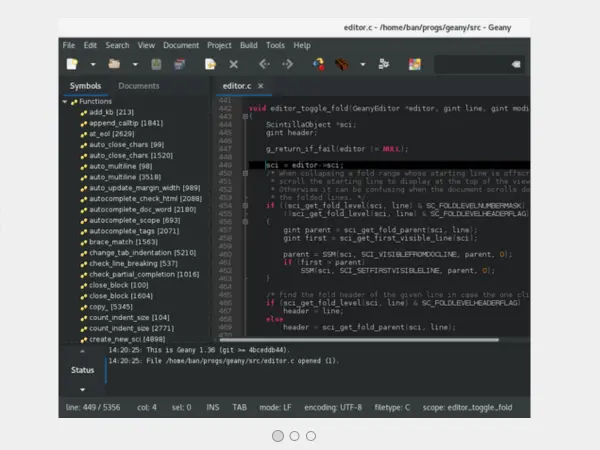
Geany
Kate
Zed