A highly customizable UI plugin for KOReader that features a home screen, bottom navigation bar, top bar and desktop modules/widgets.
SimpleUI (simpleui.koplugin) is a highly customizable, open-source UI plugin for KOReader designed to provide a clean, distraction-free interface that streamlines access to your library and reading statistics.
The principal functionalities of this tool include:
1. Centralized Home Screen
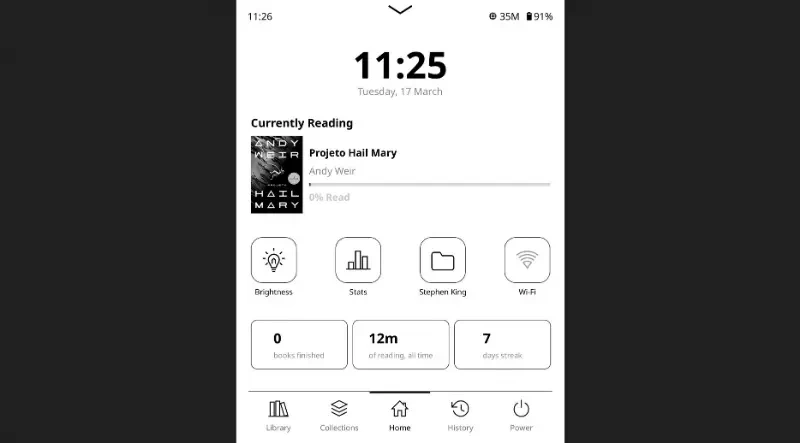
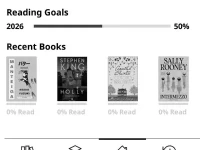
At-a-Glance Overview: Features a large clock, a "Currently Reading" section with cover art and progress, and a row of up to five recent books for quick resumption.
Data and Goals: Displays visual progress trackers for annual and daily reading goals, alongside compact stat cards showing reading time, pages read, and streaks.
Modular Customization: Users can rearrange home screen modules to fit their workflow and resize them independently via per-module scaling.
Quick Integration: It can be configured as the default startup screen for KOReader.
2. Enhanced Navigation and Status Bars
Persistent Bottom Bar: Offers up to five customizable tabs for one-tap access to the Library, History, Collections, or system toggles like Wi-Fi and brightness. It includes a "Navpager" mode that replaces standard pagination with touch-friendly arrows.
Configurable Top Bar: A slim status bar that can display the clock, battery level, Wi-Fi status, RAM, and disk usage, with each item placeable on either the left or right side.
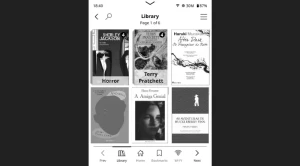
Reworked Title Bar: Provides a cleaner interface for full-screen views (like the Library) with a dedicated back button, search access, and page numbers.
3. Advanced Library Management
Folder Covers: Automatically generates custom cover art for folders in the library using the first book found inside, or allows for manual
.cover.*image files.Quick Actions: Shortcut buttons can be assigned to specific folders, collections, or other KOReader plugins for rapid navigation.
Bookmark Browser: A dedicated module allows users to browse highlights and bookmarks across their entire library from a single location.
4. Personalization and Localization
Dynamic Content: Includes an optional "Quote of the Day" module that can pull from a curated list of over 100 quotes or display the user's own highlights.
Multilingual Support: The plugin automatically detects the UI language from KOReader settings and includes translations for numerous languages, including English, Portuguese, Italian, Polish, Chinese, and French.
Easy Installation: Distributed as a simple plugin folder that can be dropped into the KOReader directory and configured via the internal "Tools" menu.
You may also be interested in ...
ResponsiveImage

Yellow