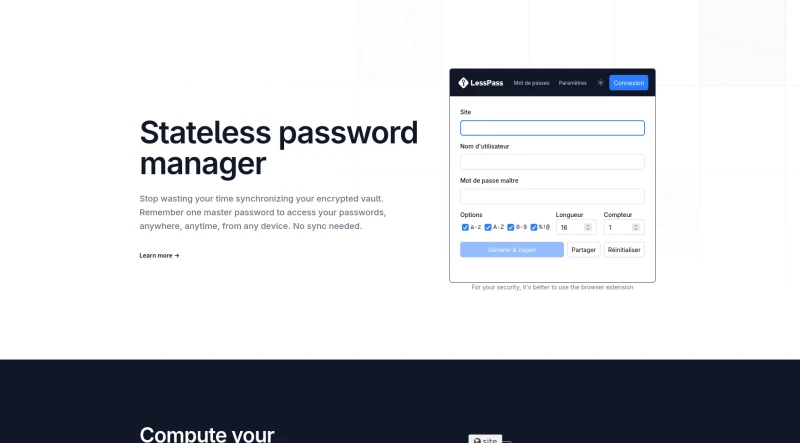
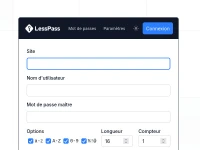
Storing password in a data base is not safe. LessPass computes a unique password using a site, login and a master password. Use LessPass in your browser, with a browser extension, on your mobile, on your server or in your terminal via a CLI client.
Core Functionality and Design
Computation over Storage: LessPass operates by computing passwords rather than generating and storing random ones in a file.
Unique Password Generation: It generates unique passwords for websites or accounts based on a master password and information you know (such as the login and site name).
Pure Functionality: The system relies on a pure function; given the same input parameters (login, master password, site, and options), it will always return the same, unique password.
No Database or Synchronization Required: LessPass is designed to operate completely offline and without a database. It does not need to sync your devices, eliminating common synchronization problems associated with traditional password managers. There is no need to save your passwords in an encrypted file.
Security and Openness
Open Source: LessPass is open source (GPLv3 license), meaning the source code is available and can be audited.
Brute Force Protection: To increase the cost of breaking the master password by brute force, the tool uses PBKDF2 with 100,000 iterations and the sha-256 hash function.
Open Culture: The developers refuse to install cookies or analysis tools (like Google Analytics) on their applications. They document their algorithms, aiming for "no magic, no black box".
Availability and Features
Wide Accessibility: LessPass is accessible via any device with a browser.
Multiple Interfaces: Beyond the official website, it is available as an Android application, a Chrome extension, a Firefox extension, and a command line interface.
Complex Rules Handling: It supports complex, site-specific password rules (e.g., length, requiring only numbers) through a "connected" version. This version saves a password's profile (including options like length or required character types), but excludes the master password and the generated password.
Password Rotation: Users can generate a new password without changing the master password by simply incrementing the "counter" field in the options.
Self-Hosting Option: Users have the ability to host their own LessPass Database if they do not wish to use the official one, requiring
dockeranddocker-composeinstalled on their machine.
You may also be interested in ...
Master password
AliasVault
Papra