Fast TUI for searching, inspecting, and queueing pacman/AUR packages.
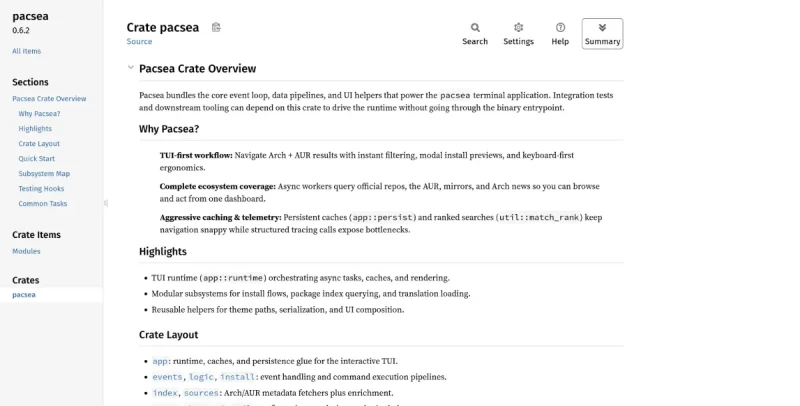
Pacsea is a fast, keyboard-first Terminal User Interface (TUI) designed for searching, inspecting, queueing, and managing packages on Arch Linux and AUR (Arch User Repository) systems.
Here is a summary of its main features and functionalities:
Core Functionality and Interface
TUI Design: Pacsea provides a fast, friendly TUI built specifically for speed and minimal keystrokes.
Keyboard-First Navigation: It features a keyboard-first interface with Vim-friendly navigation.
Integrated Process Execution: All operations, including installations and removals, execute directly within the TUI with real-time output streaming, progress bars, and inline password prompts, eliminating the need for external terminals.
Command Line Interface (CLI): Pacsea supports powerful command-line operations that allow users to manage packages without launching the TUI.
Search, Discovery, and Installation
Unified Search: Provides fast results across official repos and the AUR.
Fuzzy Search: Includes a toggle for a flexible fuzzy search mode to locate packages without exact names.
Queueing: Users can add packages to a queue and confirm installs later.
Persistent Lists: Saves recent searches and the install list.
Preflight Review: A Preflight review modal appears before installs/removals, allowing users to inspect dependencies, files, and configuration conflicts. For removals, it reviews reverse dependencies and affected services.
Distro-Aware Updates: Includes automatic detection and use of appropriate mirror tools for Manjaro, EndeavourOS, CachyOS, Artix, and standard Arch distributions.
Package Inspection and Management
Always-Visible Details: Package details are always visible, and users can open package links with a click.
PKGBUILD Preview: Offers a PKGBUILD preview viewer that allows copying the PKGBUILD content with one click.
AUR Comment Viewer: Allows users to view community comments for AUR packages directly in Pacsea with markdown support, clickable URLs, and automatic updates.
Status Markings: Provides visual indicators for out-of-date [OOD] and orphaned [ORPHAN] packages.
Installed-only Mode: A specific mode to review and remove installed packages safely, configurable to show only leaf packages or all explicitly installed packages.
Downgrade Capability: Allows users to downgrade installed packages to previous versions using the downgrade tool.
Security Features (Security-First AUR Workflow)
Pacsea implements a crucial security-first approach for installing AUR Packages:
Integrated Security Scanning: Users can run comprehensive scans before building AUR packages.
Multiple Scan Tools: Scans utilize various tools, including ClamAV (antivirus), Trivy (filesystem), Semgrep (static analysis), ShellCheck (for PKGBUILD/.install files), VirusTotal hash lookups, custom suspicious pattern scanning, and aur-sleuth (LLM audit).
Scan Summary: Scans generate a comprehensive summary detailing infections, vulnerabilities by severity, and statistics.
VirusTotal Integration:** Allows users to **configure their VirusTotal API key** directly from a modal to enable hash lookups.
Customization and System Tools
High Configurability: Pacsea is highly configurable, utilizing three configuration files in ~/.config/pacsea/: settings.conf (app behavior), theme.conf (colors/styling), and keybinds.conf (keyboard shortcuts).
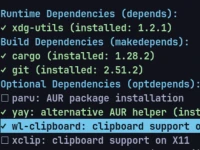
Optional Helper Tool Installation: A dedicated modal allows users to install and verify recommended helper tools (like AUR helpers, editors, terminal emulators, and security utilities).
System Update Dialog: Includes a system update dialog** with options like Force Sync mode (-Syyu).
You may also be interested in ...
DockPanel

MuJS