A general-purpose, web standards-based platform for parsing and rendering PDFs.
PDF.js is a project structured into distinct architectural layers designed to handle the interpretation, rendering, and display of PDF files.
Here are the principal functionalities and features of this tool:
1. PDF Interpretation and Rendering
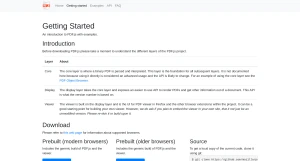
PDF.js functions by separating core processing from user interaction through three distinct layers:
Core Layer: This foundational layer is responsible for parsing and interpreting a binary PDF. It is the basis for all subsequent layers, although direct use of its API is considered advanced.
Display Layer: This layer uses the Core layer to expose an easier-to-use API. Its main functions are to render PDFs and extract other information out of a document.
Viewer Layer (User Interface): Built on the Display layer, the Viewer provides the UI for the PDF viewer utilized in Firefox and other browser extensions. This viewer component can serve as a good starting point for building your own viewer.
2. Customization and Development
The Viewer layer offers a ready-made UI, but creators are asked that if they plan to embed it in their own site, they should re-skin it or build upon it rather than using an unmodified version.
3. Accessibility and Distribution
PDF.js is designed for flexible distribution and deployment:
Prebuilt and Source Versions: The tool is available in both Prebuilt (for modern and older browsers) and Source versions. The source code can be cloned using Git.
CDN Inclusion: PDF.js is hosted on several free CDNs (including jsdelivr, cdnjs, and unpkg) for easy inclusion into web projects.
Browser Support: Information about supported browsers is maintained on a dedicated wiki page.
Testing and Examples: The source and prebuilt versions include a testing PDF file (
compressed.tracemonkey-pldi-09.pdf) and various folders containing simple usage examples. The distribution also includes translation files inlocale/andl10n/.
You may also be interested in ...

Grimmory

Headroom.js
Lodash