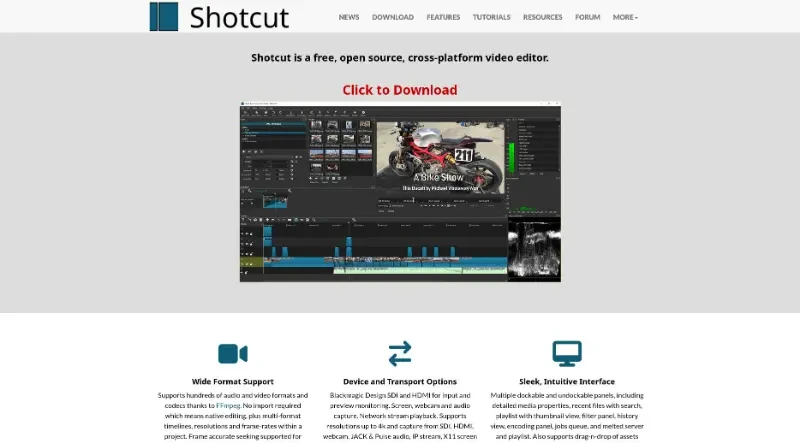
Shotcut is a free, open source, cross-platform video editor.
Shotcut is a free, open-source, cross-platform video editor available for Windows, Mac, and Linux. Originally conceived in 2004, the current version is a complete rewrite based on the MLT (Media Lovin' Toolkit) framework.
Here is a summary of its principal functionalities:
1. Extensive Format and Resolution Support
Wide Compatibility: It supports hundreds of audio and video formats and codecs through the integration of FFmpeg.
Native Editing: The tool requires no import, allowing for native timeline editing.
Flexible Timelines: Projects can feature multi-format timelines, enabling the mix of different resolutions and frame rates within a single project.
High Resolution: It provides support for resolutions up to 4K.
2. Capture and Device Integration
Hardware Support: Shotcut supports Blackmagic Design SDI and HDMI for both input and preview monitoring.
Diverse Capture Options: It can capture video and audio from various sources, including webcams, screens (X11 or Windows DirectShow), and network streams.
Audio Input: It supports audio capture via JACK, Pulse audio, and IP streams.
3. Interface and Workflow
Customizable Layout: The interface is designed to be sleek and intuitive, featuring multiple dockable and undockable panels.
Organizational Tools: It includes detailed media properties, a playlist with thumbnail view and bins, a filter panel, and a history view to track changes.
Asset Management: Users can drag-and-drop assets directly from their file manager into the editor.
Precision Editing: It supports frame-accurate seeking for many video formats.
4. Efficient Controls and Navigation
Keyboard-Driven Editing: The software is optimized for speed with specific keyboard shortcuts:
J, K, L keys control playback speed and direction.
I and O keys set "in" and "out" points for clips.
Cursor keys allow for frame-by-frame stepping, while page up/down keys step through the video one second at a time.
5. Continuous Development
Frequent Updates: New versions of Shotcut are typically released every two months, with version numbers based on the release date.
Advanced Engine: It utilizes modern plugins such as WebVfx and Movit to enhance its cross-platform capabilities.
Shotcut acts like a professional-grade, open-access film studio on your desktop: instead of forcing you to convert your footage into a specific "language" before you can start working, it accepts almost any file immediately and provides a flexible, modular dashboard that you can rearrange to fit your specific editing style.
You may also be interested in ...
Opencut
HandBrake

Invidious