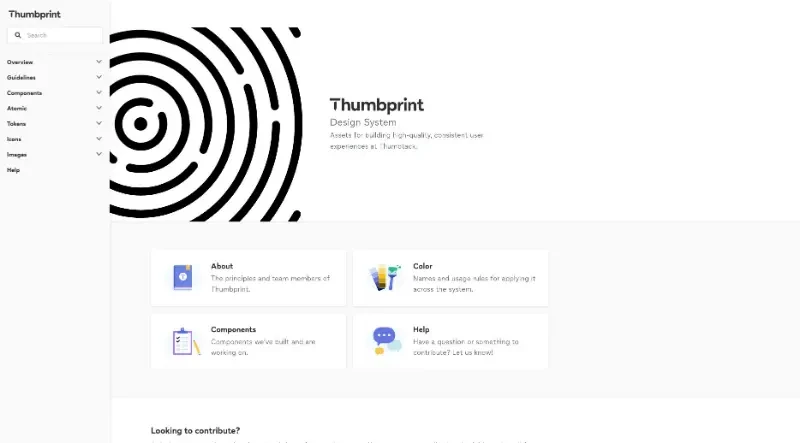
Assets for building high-quality, consistent user experiences at Thumbtack.
Thumbprint is Thumbtack's comprehensive design system, providing the essential assets and guidelines needed to build high-quality, consistent user experiences across their entire platform.
The principal functionalities of this tool include:
1. Extensive UI Component Library
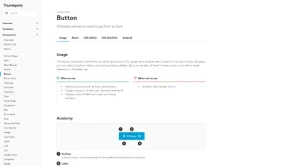
Ready-to-Use Elements: It provides a vast collection of pre-built components, ranging from basic elements like Buttons, Checkboxes, and Labels to complex interactive modules like Calendars, Date Pickers, Carousels, and Modals.
Layout & Structure: The system includes specialized components for grid systems, navigation bars, and service cards to ensure a unified structure across different pages.
2. Multi-Platform Design Tokens
Universal Consistency: Thumbprint utilizes Design Tokens to maintain visual consistency across all environments.
Cross-Platform Support: These tokens are distributed for use in SCSS, JavaScript, Android, and iOS, ensuring that colors, typography, and spacing remain identical whether a user is on the web or a mobile app.
3. Holistic Design & Content Guidelines
Product & Brand Identity: Beyond just code, it offers deep guidelines on Product Design and Content Design, including specific instructions on Voice and Tone, Grammar, and Mechanics.
AI Integration: The system provides modern guidance on Writing with AI and how to handle artificial intelligence within the user interface.
Visual Assets: It includes a centralized system for Iconography (covering navigation, notifications, and social actions) and Image Management tools.
4. Accessibility and Standards
Inclusive Design: A core pillar of the system is Accessibility, with dedicated documentation to ensure all components and guidelines meet inclusive design standards.
Atomic CSS Utilities: For developers needing fine-grained control, it offers an "Atomic" layer for managing specific CSS properties like Flexbox, Z-index, and Grid settings directly.
5. Collaborative Ecosystem
Open Contribution: The system is designed to be a living project that encourages input and contributions from both designers and developers across the wider team.
Comprehensive Help: It includes dedicated support channels and documentation to help team members get started or resolve questions quickly.
You may also be interested in ...
UI Design Tips
Jampack