

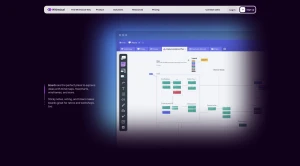
Whimsical is a collaboration tool that helps you do flowcharts, wireframes, sticky note exercises, and more. The starter offer let you create up to 4 free diagrams and it's only 10$/user/month for unlimited diagrams.
Whimsical is an all-in-one workspace designed to unite teams, tasks, and tools in a single place. The core purpose is to help teams think it, plan it, and build it without switching apps. The platform advocates for "The Whimsical Way," which seeks to help users achieve high levels of focus, productivity, and calm at work.
By utilizing Whimsical, teams can escape the clutter associated with the "old way of working," which involved scattered conversations, wasted time switching between apps, and chaotic work environments. Instead, Whimsical provides one dedicated place for ideas, documents, projects, conversations, and notifications, leading to work that feels "calm and focused".
The Four Core Tools
Whimsical integrates four fundamental tools to manage the entire workflow, from brainstorming to launch:
Boards: These provide an infinite canvas for creating visual assets such as diagrams, wireframes, whiteboards, mind maps, and flowcharts. Boards are useful for retrospectives and workshops, incorporating features like sticky notes, voting, and timers.
Docs: These are described as clutter-free documents used to align the team and move work forward. Docs are where ideas transition into plans, shared notes are created, and Product Requirement Documents (PRDs) are drafted. Users can embed Boards into Docs to add important context and visual clarity.
Projects: This is an integrated project space designed for tasks, documents, and communication. It functions as a project management tool that is connected to all other Whimsical content, enabling teams to "work calmer and ship faster".
Posts: Posts represent a mindful approach to team communication free from noise. They are used to keep everyone in sync by sharing project updates, team check-ins, and feedback requests. Posts can be automatically shared to Slack for greater visibility.
Key Features and Connectivity
The entire Whimsical workspace is fundamentally connected.
Linking and Embeds: Users can easily link a file, task, or teammate anywhere in Whimsical by typing
@. Importantly, these links can be displayed as visual embeds, making critical context easier to understand.Notifications: Whimsical aims for "Notifications done right," ensuring users receive real-time updates only when desired, supporting peaceful focus otherwise.
Templates and Resources: The platform provides templates for every step of the workflow, from ideation to launch. It also offers a desktop app for macOS or Windows and includes resources like a Help Center, Blog, and comparison information against competitors such as Notion, Jira, and Miro. The tools list also mentions "Whimsical AI".
Solutions for Specific Teams
Whimsical offers tailored solutions to help different organizational functions streamline their work:
Product: Defining, scoping, and communicating product work in a single shared space.
Design: Mapping flows, gathering feedback, and maintaining team synchronization.
Engineering: Converting specifications into shippable work using clear documentation and diagrams.
Marketing: Planning campaigns, tracking updates, and facilitating cross-team collaboration with clarity.
Agencies: Streamlining client work, collaboration, and approvals.
Startups: Staying aligned on priorities, progress, and decisions without introducing "noise".

You may also be interested in ...

Compressorjs

Unpoly