
Open Source & Free Tools for Web Workers

Discover amazing tech resources, carefully handpicked to keep you up-to-date and elevate your efficiency. Already 1490 badass resources curated.

  • happyconf.net
    Sponsor

    happyconf.net

    Animated slideshows to showcase your speakers, sponsors, organisers, announcements and quotes. Plus handy tools to make your life easier: a remote-controlled countdown timer, a clock, and a prize draw for attendees.

    Read more
  • happyconf.net
    happyconf.net happyconf.net happyconf.net happyconf.net happyconf.net happyconf.net happyconf.net happyconf.net

    Animated slideshows to showcase your speakers, sponsors, organisers, announcements and quotes. Plus handy tools to make your life easier: a remote-controlled countdown timer, a clock, and a prize draw for attendees.

    happyconf.net is a web-based platform designed to transform inactive conference screens into professional, animated displays and provide organizers with practical event management tools.

    The main features of this service include:

    • Animated Slideshows: It allows organizers to create elegant presentations to highlight speakers, showcase sponsors, share announcements, and display quotes from the event.

    • Integrated Event Utilities: Beyond slides, the platform includes a remote-controlled countdown timer, a large room clock, and a fair prize draw system to entertain and inform attendees during breaks.

    • Web-Based and Installation-Free: The service runs entirely in a web browser, requiring no software installation; it can be projected onto any connected screen, TV, or projector.

    • Professional Visual Themes: Users can choose from ready-made themes like "Cyberpunk," "Glassy," or "Romantic," or request a fully custom theme to match their specific graphic identity.

    • Real-Time Dashboard: Content is managed through a private admin area, and the public display updates in real time as changes are made.

    • Event-Based Pricing Model: Instead of a recurring subscription, it offers a "pay-per-event" system with tiers (Starter, Pro, and Custom) tailored to different event sizes, from small meetups to large professional conferences.

    • Privacy and Data Sovereignty: To display content, a login is required; once an event is over, all user data is typically deleted to ensure privacy.

  • Strapi
    December 5, 2018

    Strapi

    API creation made simple, secure and fast, Strapi is an open-source Content Management Framework (headless-CMS) to build powerful API with no effort.
    Read more
  • Strapi
    Strapi Strapi Strapi Strapi Strapi

    API creation made simple, secure and fast, Strapi is an open-source Content Management Framework (headless-CMS) to build powerful API with no effort.

    Strapi is a leading open-source (MIT licensed) Headless CMS based on Node.js, designed to give developers the freedom to use their favorite tools while providing editors with an autonomous way to manage content.

    The main features and functionalities of Strapi include:

    API Design and Integration

    • Flexible API Creation: Users can design REST and GraphQL Content Delivery APIs to connect their content to any frontend.

    • Instant Generation: The platform allows developers to design data models and generate APIs instantly.

    • Backend Framework: It serves as a customizable framework to build, scale, and integrate backends with various developer tools.

    Content Management and AI Capabilities

    • Autonomous Editing: Content managers can easily manage editing, publishing, and translations independently.

    • Strapi AI: A new feature that automates content modeling and translations, helping to streamline the creation of AI-powered websites and apps.

    • Structured Content: It provides business leaders with the benefits of structured content to manage brand narratives across multiple devices.

    Customization and Collaboration

    • Personalization: The CMS can be personalized to meet unique project requirements.

    • Marketplace: The Strapi Market offers a variety of plugins and integrations to extend the platform's functionality.

    • Team Collaboration: It facilitates easy collaboration between team members on both code and content.

    Deployment and Security

    • Flexible Hosting: Projects can be hosted on Strapi Cloud (a PaaS solution) or via a self-hosted Enterprise Edition.

    • Security Standards: Strapi implements robust security measures and is SOC 2 certified and GDPR compliant.

    • Global Community: As an open-source project, it encourages community contribution and collaboration via GitHub, Discord, and dedicated forums.

    Strapi acts like a centralized "brain" for your digital content: instead of having your content trapped inside a single website, Strapi stores it in a flexible library that can send information through various "delivery pipes" (APIs) to reach any destination—whether it's a mobile app, an e-commerce site, or a smartwatch—all while using AI to help translate and organize that information automatically.

  • Caddy
    December 5, 2018

    Caddy

    Caddy is the HTTP/2 web server with automatic HTTPS. It is the only web server that uses HTTPS by default. A hardened TLS stack with modern protocols preserves privacy and exposes MITM attacks.
    Read more
  • Caddy
    Caddy Caddy Caddy Caddy Caddy Caddy Caddy

    Caddy is the HTTP/2 web server with automatic HTTPS. It is the only web server that uses HTTPS by default. A hardened TLS stack with modern protocols preserves privacy and exposes MITM attacks.

    Caddy is a modern, open-source web server designed to be secure, reliable, and scalable by default. It is distinguished by its "batteries-included" approach, particularly regarding encryption and ease of use.

    Here is a summary of its principal functionalities:

    Automated HTTPS and TLS Management

    • Automatic Certificates: By default, Caddy automatically obtains and renews TLS certificates for all configured sites. It is designed to manage certificates reliably even at a massive scale, supporting hundreds of thousands of sites.

    • On-Demand TLS: A key feature for SaaS providers, Caddy can provision and maintain certificates on-the-fly during TLS handshakes for custom, customer-owned domains.

    • Internal PKI: It includes a fully-featured suite for deploying private Certificate Authorities (CAs) and managing internal PKI across a fleet of servers.

    • Secure Defaults: Its TLS configurations are secure by default and meet PCI, HIPAA, and NIST compliance requirements without manual tuning. It also handles advanced security tasks like OCSP stapling and automatic renewal of revoked certificates.

    Advanced Reverse Proxy and Load Balancing

    • Extensible Proxy: Caddy serves as a forward-thinking reverse proxy supporting HTTP, FastCGI, WebSockets, gRPC, and more.

    • High Availability: It features a complete suite of high-availability tools, including active and passive health checks, load balancing policies (such as least connections), retries, and circuit breaking.

    • Dynamic Backends: Instead of static lists, Caddy can be configured to retrieve backends dynamically during each request, making it ideal for rapidly changing cloud environments.

    Production-Grade Static File Serving

    • Robust File Server: It efficiently serves static files and supports modern features like Range requests and Etags.

    • Modern Compression: Caddy can compress files on-the-fly and was the first web server to support Zstandard encoding.

    • Virtual File Systems: You can serve sites from various sources beyond the local disk, including remote cloud storage, databases, or files embedded directly within the server binary.

    Flexible Configuration and Extensibility

    • Native JSON API: Caddy’s core configuration is a JSON document that can be manipulated in real-time via a RESTful admin API, allowing for dynamic changes without restarting the server.

    • Caddyfile: For human users, it offers the Caddyfile, a highly simplified configuration format that is often significantly smaller than equivalent NGINX configurations.

    • Config Adapters: Through adapters, Caddy can be configured using almost any format, including YAML, TOML, and even NGINX config files.

    • Modular Architecture: It features a unique modular design where nearly every part of the server is a pluggable module. Users can compile a custom binary containing only the features they need for a leaner deployment.

    High-Performance PHP Integration

    • FrankenPHP: Through the FrankenPHP integration, Caddy can act as a PHP application server that is approximately 4x faster than traditional setups. It embeds the PHP interpreter directly, eliminating the need for separate services like php-fpm.

    Caddy acts like a high-tech, self-maintaining smart home for your websites: while traditional servers require you to manually install the locks, renew the security contracts, and rewire the lights, Caddy comes with automated security that updates itself, a universal remote to control everything via an API, and the ability to expand your house by simply plugging in new rooms.

  • SearX
    December 4, 2018

    SearX

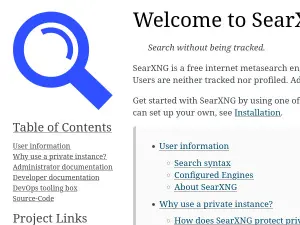
    Searx is a metasearch engine, aggregating the results of other search engines while not storing information about its users.

    Read more
  • SearX
    SearX

    Searx is a metasearch engine, aggregating the results of other search engines while not storing information about its users.

    SearXNG is a free, open-source internet metasearch engine designed to provide comprehensive search results while strictly protecting user privacy. It originated in mid-2021 as a fork of the "searx" project.

    The main features and functionalities of SearXNG include:

    Privacy and Anonymity

    • No Tracking or Profiling: Users are neither tracked nor profiled during their searches.

    • Optional Scripts and Cookies: The engine is designed so that the use of scripts and cookies is optional, reducing the data footprint left by the user.

    • Tor Support: For maximum online anonymity, SearXNG can be accessed and used over the Tor network.

    • Secure Connections: All connections are secure and encrypted.

    Search Aggregation and Localization

    • Extensive Aggregation: It functions as a metasearch engine, meaning it aggregates and displays results from up to 247 different search services.

    • Easy Integration: The platform allows for the easy integration of various search engines into its results.

    • Multilingual Support: SearXNG is accessible globally, offering support for 58 translations.

    Deployment and Community

    • Public and Private Instances: Users can access the tool through approximately 70 well-maintained public instances (listed at searx.space) or choose to self-host their own private instance for total control.

    • Administrative Flexibility: The tool supports various installation methods, including Docker containers and scripts, and is compatible with web servers like NGINX and Apache.

    • Open Development: It is driven by an open community and features professional development practices such as automated UI testing and quality assurance.

    • Extensibility: Developers can utilize a Search API, plugins, and custom theme templates to modify the engine's behavior and appearance.

    SearXNG acts like a private investigator who visits 247 different libraries for you: they gather all the information you need from every available source, but they never ask for your ID, they don't keep a log of what you searched for, and they wear a disguise so no one knows they are working for you.

  • PrivacyTools
    December 4, 2018

    PrivacyTools

    You are being watched. Private and state-sponsored organizations are monitoring and recording your online activities. privacytools.io provides knowledge and tools to protect your privacy against global mass surveillance.

    Read more
  • PrivacyTools
    PrivacyTools

    You are being watched. Private and state-sponsored organizations are monitoring and recording your online activities. privacytools.io provides knowledge and tools to protect your privacy against global mass surveillance.

    PrivacyTools.io is a comprehensive privacy guide and website dedicated to providing encrypted software, apps, and services to counter global mass surveillance. Established in 2015 following Edward Snowden's revelations, it serves as a central resource for users to regain control of their digital footprint.

    Here are the principal features and functionalities provided by the platform:

    1. Curated Privacy Recommendations

    The site evaluates and lists tools across several categories based on specific Privacy Tools Criteria, prioritizing software that is open-source, under active development, and user-friendly. Key categories include:

    • Secure Browsing: It recommends browsers like LibreWolf (a modified Firefox focused on tracking protection) and Firefox Focus for mobile privacy.

    • Virtual Private Networks (VPNs): The platform features audited services such as Surfshark and NordVPN, which offer obfuscated servers and support for multiple devices.

    • Encrypted Communication: It suggests providers like StartMail for email (supporting unlimited aliases) and decentralized messengers like Session, which does not require a phone number or email for signup.

    • Secure Storage & Search: It highlights encrypted cloud storage options like Internxt (offering lifetime plans) and independent search engines such as Brave Search or MetaGer.

    2. Specialized Privacy and Security Software

    The guide includes tools for advanced data protection and system maintenance:

    • Data Removal Services: It features services like Incogni, which automatically removes personal data from commercial data broker markets.

    • System Hygiene: It lists BleachBit for shredding files and wiping unallocated disk space to minimize data remanence.

    • Network Security: It provides guides for NextDNS to block ads, trackers, and malicious domains across all devices and routers.

    • Privacy-Focused Operating Systems: It recommends Whonix, an OS designed to run inside your current one while automatically routing all internet traffic through the Tor network.

    3. Standards and Evaluation Criteria

    PrivacyTools.io follows a strict set of ethics to ensure the reliability of its recommendations:

    • Jurisdiction Awareness: Preference is given to providers based outside of the "Five Eyes" intelligence alliance (USA, UK, Canada, Australia, and New Zealand) to reduce the risk of secret legal orders.

    • Security Audits: The platform prioritizes tools that have undergone independent security audits from reputable cybersecurity firms.

    • Transparency: It favors services with clear business models and those that publish "Warrant Canaries"—statements indicating they have not received secret government legal requests.

    4. Educational Resources

    The site provides detailed explanations of core concepts to improve user literacy regarding digital rights:

    • Conceptual Definitions: it defines the differences between Privacy (control over information), Anonymity (unknown identity), and Encryption (translating data into protected forms).

    • Defense Against Surveillance: It offers specific guides on the dangers of global monitoring and why protecting personal data is essential for everyone, regardless of whether they feel they have "nothing to hide".

    PrivacyTools.io is like a curated survival guide for a digital wilderness: it doesn't just warn you that you are being tracked; it provides a vetted inventory of armor, specialized maps, and cloaking devices to help you navigate the internet without leaving a trail for others to follow.

  • PowerDNS
    December 4, 2018

    PowerDNS

    PowerDNS is a DNS server, written in C++ and licensed under the GPL. It runs on most Unix derivatives.
    Read more
  • PowerDNS
    PowerDNS PowerDNS PowerDNS

    PowerDNS is a DNS server, written in C++ and licensed under the GPL. It runs on most Unix derivatives.

    PowerDNS is a leading provider of secure open-source and commercial DNS software specifically designed for large-scale service providers, such as mobile operators, cable and broadband providers, and hosting companies.

    Here is a summary of the principal functionalities of its ecosystem:

    1. Core Products and Infrastructure

    • DNSdist (The All-rounder): A powerful tool that provides intelligent load balancing to optimize traffic, caching to improve response times/reliability, and support for modern encryption protocols (DoH, DoT, DoQ, and DoH3).

    • Recursor: Provides state-of-the-art DNS resolving intended for a fast and secure internet experience.

    • Authoritative Server: Used for domain name hosting, cloud-native DNS installations, and powering ENUM solutions.

    • Lightning Stream Enterprise: A specialized solution for incremental synchronization in large-scale deployments, reducing bandwidth consumption and accelerating replication.

    2. Security and Protection

    • Malware and DDoS Protection: The software is trusted to protect against DDoS, malware, and PRSD attacks.

    • Advanced Filtering: Includes DNSdist Defender to block DNS tunneling and data exfiltration, as well as network-based IoT security for always-connected devices.

    • Parental Controls: Features tools for safe browsing and supervision of online content access.

    • CPE Security: Allows for the encryption and filtering of DNS traffic directly at the router level.

    3. Specialized Solutions

    • 5G Network Optimization: Offers orchestration for multiple servers, deployment automation, and can boost 5G subscriber performance by up to 25%.

    • Carrier-Grade Services: Provides specific solutions for Mobile Operators (UE DNS, Infrastructure DNS) and Broadband Operators (DNS on CPE, Resolving).

    • Cloud-Native Deployment: Optimized for running efficient, modern DNS installations in cloud environments.

    4. Stability and Reliability

    • Proven Track Record: The software is recognized for its high quality, having achieved a milestone of 10 years without a Severity 1 support case.

    • Continuous Updates: The platform is actively maintained with regular security advisories and version releases for both the Recursor and Authoritative Server.

    PowerDNS acts like a highly secure and intelligent postal sorting facility for the internet; it doesn't just ensure that every request reaches the right address, but it also inspects packages for threats, prioritizes urgent deliveries through load balancing, and ensures the entire delivery route is encrypted and efficient.

  • Draw.io
    December 4, 2018

    Draw.io

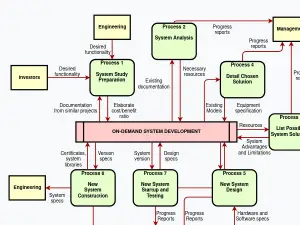
    Draw.io is free online diagram software. You can use it as a flowchart maker, network diagram software, to create UML online, as an ER diagram tool, to design database schema, to build BPMN online, as a circuit diagram maker, and more. draw.io can import .vsdx, Gliffy™ and Lucidchart™ files .
    Read more
  • Draw.io
    Draw.io Draw.io Draw.io

    Draw.io is free online diagram software. You can use it as a flowchart maker, network diagram software, to create UML online, as an ER diagram tool, to design database schema, to build BPMN online, as a circuit diagram maker, and more. draw.io can import .vsdx, Gliffy™ and Lucidchart™ files .

    draw.io is a free online diagram software.

    Here is a summary of its principal functionalities:

    Core Functionality and Application Domains

    draw.io is designed to function as comprehensive diagramming software and is applicable across several technical and organizational fields.

    • Flowchart Creation: It can be used as a flowchart maker.

    • Network Diagrams: It functions as network diagram software.

    • Software Modeling: It allows users to create UML online.

    • Databases and Schema: It can be used as an ER diagram tool and to design database schema.

    • Business Processes: It is capable of building BPMN online.

    • Electronics: It also serves as a circuit diagram maker, and more.

    Interoperability and File Import

    draw.io is notable for its ability to interact with other popular diagram formats. It can import files from the following formats:

    • .vsdx files.

    • Gliffy™ files.

    • Lucidchart™ files.

    Technical Requirement

    To ensure its operation, users must ensure JavaScript is enabled.

  • Tabulator
    December 3, 2018

    Tabulator

    Tabulator allows you to create interactive tables in seconds from any HTML Table, JavaScript Array, AJAX data source or JSON formatted data. Simply include the library in your project and you're away!

    Read more
  • Tabulator
    Tabulator Tabulator Tabulator

    Tabulator allows you to create interactive tables in seconds from any HTML Table, JavaScript Array, AJAX data source or JSON formatted data. Simply include the library in your project and you're away!

    Tabulator is an easy to use, simple to code, fully featured, interactive JavaScript library for creating tables and data grids. It is a plain JavaScript library designed to work seamlessly across all frontend JavaScript frameworks.

    Here are the principal features and functionalities of Tabulator:

    Core Data Handling and Performance

    • Data Sources: Data can be loaded initially from a JavaScript array or asynchronously via Ajax requests.

    • Reactive Data: The table can update dynamically as the underlying data changes.

    • Virtual DOM: It uses a virtualized DOM for lightning-fast rendering, especially beneficial for handling large data sets.

    • File Operations: Users can download data directly from the table to CSV or XLSX files. Conversely, it supports importing content directly from xlsx, csv, and ods files.

    • Pagination: Tabulator offers automatic local and remote data pagination, allowing settings like displaying a specific number of rows per page,.

    Interactivity and Editing

    • Direct Editing: Users can edit table data directly in the table, utilizing various editors like simple input fields or lists.

    • History Management: It allows for undo and redo actions on user interactions via a built-in history feature,.

    • Selection: Supports both row selection (single or multiple) and selection of multiple cell ranges.

    • Clipboard Functionality: Data can be copied and pasted from the table using the Clipboard feature.

    • Validation: It provides input validation to check user input before it is stored in the table.

    • Key Bindings: Keyboard shortcuts are customizable for table interaction.

    Structure, Filtering, and Layout

    • Filtering and Sorting: Data can be filtered to display specific records and sorted by any value or data type. Initial sort orders can also be defined.

    • Grouping and Hierarchy: Rows can be graphically grouped by any specified data, and data can be structured as a tree with clickable nodes.

    • Layout Customization: Layout can be customized (e.g., fitColumns), and column order can be changed using movableColumns,.

    • Responsive Design: Features responsive layout to automatically hide or show data to fit the size of the table,.

    • Freeze Data: Columns and rows can be frozen in place while the user scrolls.

    • Column Calculations: Tabulator can calculate values such as max, min, avg, and sum from column data.

    Customization and Extensibility

    • Formatting and Styling: It supports creating custom formatters to graphically display data (e.g., progress bars, stars, tick/cross icons). All graphical elements are assigned classes for full CSS styling, and five prepackaged themes are included.

    • Localization: The content of the tables can be localized to multiple languages, and it supports right to left (RTL) text direction.

    • Mutators: Data can be altered as it enters and leaves the table using mutators.

    • Persistence: The configuration (layout, sort, filter) can be remembered between user visits.

    • Developer Interaction: Developers can interact with the tool through a selection of callbacks.

    • Menus: Provides context menus for rows, columns, and cells.

    • Accessibility: Aria tags are used on all elements for enhanced readability.

    • Touch Friendly: The software is fully functional on mobile touch devices.

    • Printing: Supports custom print styling and full page printing,.

  • Mailu
    December 3, 2018

    Mailu

    Mailu is a simple yet full-featured mail server as a set of Docker images. It is free software, open to suggestions and external contributions. The project aims at providing people with an easily setup, easily maintained and full-featured mail server while not shipping proprietary software nor unrelated features often found in popular groupware.

    Read more
  • Mailu
    Mailu

    Mailu is a simple yet full-featured mail server as a set of Docker images. It is free software, open to suggestions and external contributions. The project aims at providing people with an easily setup, easily maintained and full-featured mail server while not shipping proprietary software nor unrelated features often found in popular groupware.

    Mailu is a simple, full-featured, open-source mail server provided as a set of Docker images. It is designed to be easily set up and maintained while avoiding proprietary software or unrelated groupware features. It is entirely composed of FOSS components (Free and Open Source Software) and includes no tracker.

    Here are the principal features and functionalities of Mailu:

    1. Architecture and Setup

    • Docker-Based Deployment: Mailu is deployed using a set of Docker images and can be set up using either Docker Compose or Kubernetes.

    • Database Flexibility: It supports changing the database back-end and can integrate with external services like MySQL/MariaDB or PostgreSQL.

    • DNS Requirements: Setup requires careful configuration of DNS settings, including MX entries, Reverse DNS entries, and DKIM/SPF & DMARC Entries.

    • Reverse Proxy Support: It supports using an external reverse proxy like Traefik.

    • Maintenance: Documentation covers maintaining the server, including upgrading, monitoring, and managing external Let's Encrypt certificates.

    2. Standard and Advanced Email Capabilities

    • Standard Protocols: Functions as a complete email server supporting IMAP and IMAP+ (for receiving), and SMTP and Submission (for sending).

    • Client Configuration: Provides auto-configuration profiles for clients.

    • Advanced Features: Supports aliases, domain aliases, and custom routing.

    • Search: Includes full-text search of email attachments.

    3. Security and Anti-Spam Measures

    Mailu integrates numerous security and anti-spam features:

    • Connection Security: Features enforced TLS (Transport Layer Security).

    • Authentication & Trust: Supports modern standards like DANE, MTA-STS, and outgoing DKIM.

    • Malware Protection: Includes an anti-virus scanner and Snuffleupagus. It can be configured to block malicious attachments.

    • Spam Filtering: Features auto-learn capabilities, greylisting, and support for DMARC and SPF. It also implements anti-spoofing measures and allows blocking emails from specific domains.

    • Certificates: Integrates Letsencrypt! for TLS certificate management.

    4. User and Administration Interfaces

    • Web Access: Provides multiple Webmails and a dedicated Web administration interface.

    • Administrative Tools:

      • Supports setting quotas and defining global admins.

      • Allows per-domain delegation and sending announcements.

      • Provides specific web interface sections for managing anti-spam settings, mail domains, and relayed domains.

    • Developer and Command Line Tools:

      • Offers a Mailu RESTful API with an in-built SwaggerUI.

      • Includes a dedicated Mailu command line interface for tasks like managing users, aliases, domains, and configuration (e.g., user, alias, config-update).

    • End-User Management: Users can manage personal settings such as aliases, auto-reply, auto-forward, fetched accounts, and managesieve.

  • Jitsi
    December 2, 2018

    Jitsi

    Multi-platform open-source video conferencing. Whether you want to build your own massively multi-user video conference client, or use ours, all our tools are 100% free, open source, and WebRTC compatible.

    Read more
  • Jitsi
    Jitsi Jitsi

    Multi-platform open-source video conferencing. Whether you want to build your own massively multi-user video conference client, or use ours, all our tools are 100% free, open source, and WebRTC compatible.

    Jitsi Meet is a secure, flexible, and completely free video conferencing software.

    Here is a summary of its main features and functionalities:

    1. Core Attributes and Security

    • Open Source and Free: Jitsi is characterized as 100% open source and completely free to use,.

    • Encrypted and Private: It is highlighted as being encrypted and 100% privacy friendly,.

    • No Account Required: Users do not need an account to participate in a meeting,.

    • Usage Context: It is used by organizations, including Italian schools (via the WeSchool platform) for distance learning and other organizations that run it on their own servers,.

    2. Connectivity and Interoperability

    • Seamless Integration: Jitsi emphasizes seamless connectivity in the virtual meeting landscape,.

    • SIP Integration: It supports SIP integration, allowing participants to join meetings from a wide range of devices,.

    • Device Flexibility: Attendees can join using hardware phones or softphones (such as Bria), and even from other video conferencing systems (such as Zoom),.

    3. Advanced Technical Features

    • Receiver Control: Jitsi Meet has long supported ReceiverConstraints for video, allowing meeting receivers to specify which streams they wish to receive and at what resolutions,.

    • Audio Subscriptions: It also supports Receiver Audio Subscriptions, allowing the backend to attempt to satisfy the specific constraints requested by receivers,.

    4. Deployment Flexibility

    • Self-Hosting: Users have the option to run Jitsi on their own servers,.

    • JaaS (Jitsi as a Service): The team that builds Jitsi offers a managed service called JaaS, allowing the team to run Jitsi for the user as an alternative to self-hosting,.

  • Sendy
    November 29, 2018

    Sendy

    Sendy is a self hosted email newsletter application that lets you send trackable emails via Amazon Simple Email Service (SES). This makes it possible for you to send authenticated bulk emails at an insanely low price without sacrificing deliverability.
    Read more
  • Sendy
    Sendy Sendy Sendy

    Sendy is a self hosted email newsletter application that lets you send trackable emails via Amazon Simple Email Service (SES). This makes it possible for you to send authenticated bulk emails at an insanely low price without sacrificing deliverability.

    Sendy is a self-hosted email newsletter application that sends bulk emails 100x cheaper via Amazon SES.

    Here are its main features:

    Core Value Proposition:

    • One-time payment of $69 (no monthly fees)

    • $1 per 10,000 emails via Amazon SES (compared to expensive monthly subscriptions)

    • No subscriber limits

    • Pay only when you send

    Campaign Management:

    • Beautiful reports with visualizations of opens, clicks, bounces, complaints, and geographic data

    • Export subscriber segments from reports for re-targeting

    • Send to lists or segments

    • High deliverability rates through Amazon SES

    Automation:

    • Autoresponders - Setup drip campaigns with automated follow-up emails at custom intervals

    • Annual or one-off emails at specific dates

    • Rules & Webhooks - Trigger actions based on events (e.g., get notified when campaigns start, trigger webhooks, auto-unsubscribe based on conditions)

    List Management:

    • Mass import/delete subscribers

    • Custom fields for storing additional subscriber information

    • Single/double opt-in options

    • List segmentation - Create targeted segments based on any conditions

    • Subscribe forms and API integration

    • Custom subscribe/unsubscribe confirmation pages

    Client Management:

    • White-labeled client accounts - Create multiple "brands" for different products/services

    • Give clients access to their own brand portal

    • Set custom pricing and monthly sending limits

    • Adjust client privileges

    Technical Features:

    • Custom domains - Use your own domain for unsubscribe, web version, and trackable links

    • Automatic bounce & complaint handling - Real-time automated cleanup

    • Housekeeping - Remove unconfirmed or unengaged subscribers with one click

    • Works with SendGrid, Mailjet, and Elastic Email (in addition to Amazon SES)

    Integrations:

    • Third-party plugins for WordPress, Magento, Joomla

    • Zapier integration for thousands of apps

    • Full API access

    Hosting:

    • Self-hosted on your own Apache/Linux server with PHP & MySQL

    • Optional installation service available (+$79)

    • Can be installed on Amazon EC2 for optimal performance

    Sendy is particularly popular among users with large subscriber bases who want to escape escalating monthly fees from services like Mailchimp.

  • Vault
    November 30, 2018

    Vault

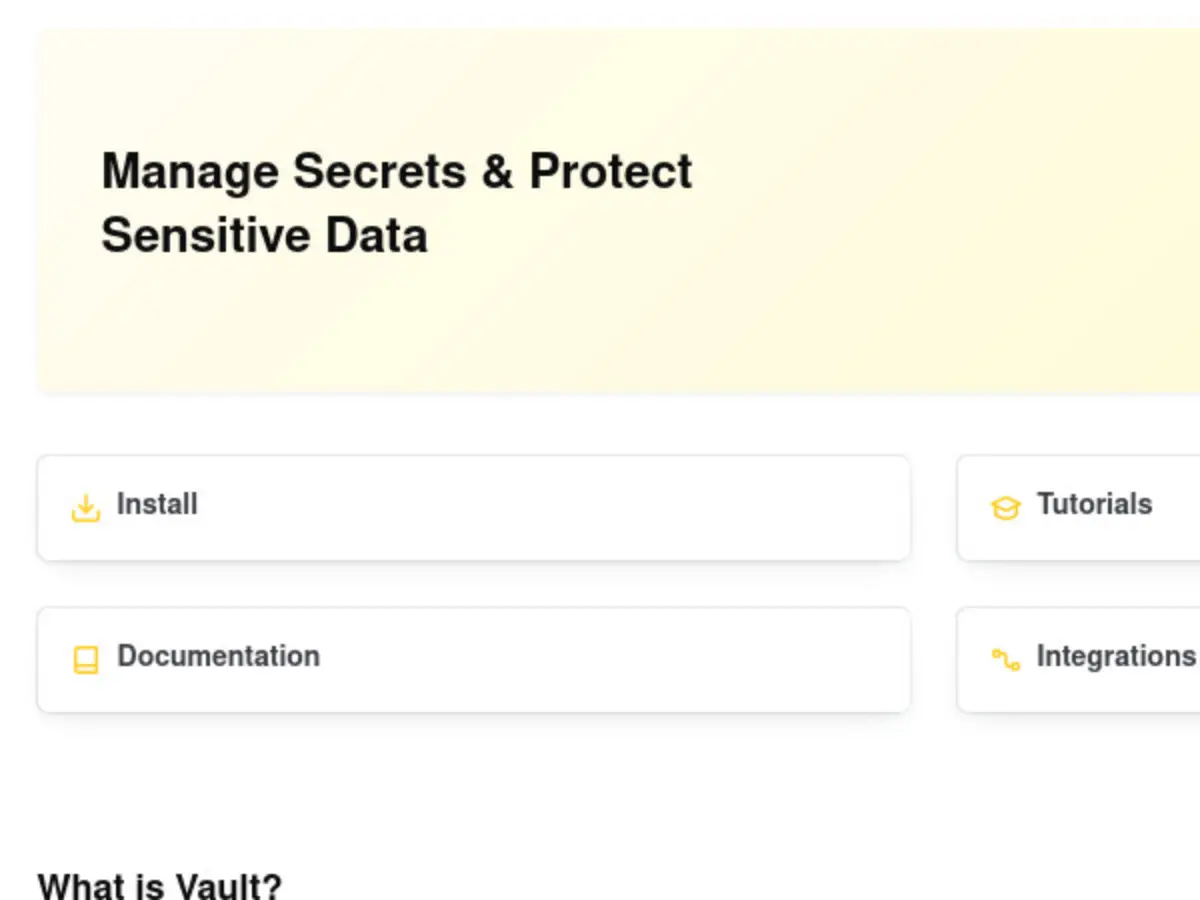
    Secure, store and tightly control access to tokens, passwords, certificates, encryption keys for protecting secrets and other sensitive data using a UI, CLI, or HTTP API.
    Read more
  • Vault
    Vault

    Secure, store and tightly control access to tokens, passwords, certificates, encryption keys for protecting secrets and other sensitive data using a UI, CLI, or HTTP API.

    HashiCorp Vault is a secrets management platform that securely stores and controls access to sensitive data.

    Here are its main features:

    Core Purpose:

    • Securely store and tightly control access to tokens, passwords, certificates, encryption keys, and other sensitive data

    • Accessible via UI, CLI, or HTTP API

    Key Use Cases:

    • Secrets Management - Store, access, and deploy secrets for applications, systems, and infrastructure

    • Database Credential Management - Secure database access and manage credential lifecycle with dynamic credential generation

    • Data Encryption - Encryption as a Service (EaaS) to protect data in transit and at rest, even if intrusions occur

    Popular Features:

    1. Key/Value Secrets Engine - Persist arbitrary secrets within configured physical storage

    2. Database Secrets Engine - Dynamically generates database credentials based on pre-configured roles

    3. Transit Secrets Engine - Encrypt data in-transit, providing encryption as a service

    4. Transform Secrets Engine (Enterprise) - Generates cryptographically secure tokens mapped to highly sensitive data

    Deployment Options:

    • Self-hosted (Vault)

    • Cloud-managed (HCP Vault Dedicated) - available with a free trial

    Security Approach:

    • Zero-trust architecture support

    • Identity and access management

    • Strong data and secrets protection practices

    • Encryption ensures data remains protected even during security breaches

    Vault is part of HashiCorp's Security Lifecycle Management suite and integrates with their broader infrastructure tools ecosystem.

  • Create your own Heroku clone for $5 a month with Dokku
    November 29, 2018

    Create your own Heroku clone for $5 a month with Dokku

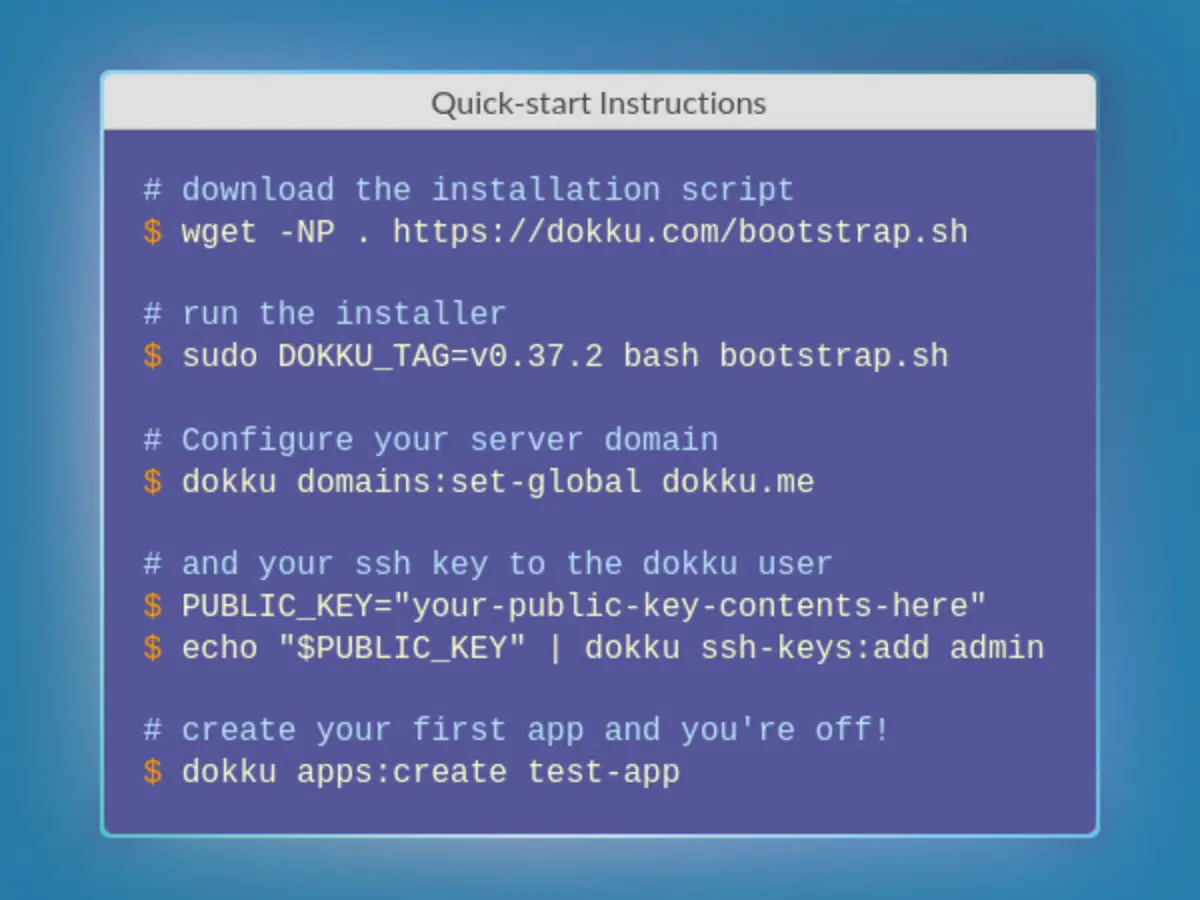
    Dokku is a Docker powered mini-Heroku in around 200 lines of Bash that lets you set up your own Platform-as-a-Service infrastructure at a fraction of the cost. This makes it possible for you to host your own apps with all of the features offered by an actual provider like Heroku. (- Dave Kiss)
    Read more
  • Create your own Heroku clone for $5 a month with Dokku
    Create your own Heroku clone for $5 a month with Dokku Create your own Heroku clone for $5 a month with Dokku Create your own Heroku clone for $5 a month with Dokku

    Dokku is a Docker powered mini-Heroku in around 200 lines of Bash that lets you set up your own Platform-as-a-Service infrastructure at a fraction of the cost. This makes it possible for you to host your own apps with all of the features offered by an actual provider like Heroku. (- Dave Kiss)

    Dokku is an open-source PAAS (Platform as a Service) alternative to Heroku. It is characterized as "The smallest PaaS implementation you've ever seen".

    Here are its primary features and functionalities:

    1. Architecture and Core Functionality

    • PAAS Implementation: Dokku helps users build and manage the lifecycle of applications from the initial building phase through scaling.

    • Powered by Docker: The platform is built and powered by Docker. This allows users to install it on any hardware and utilize it on inexpensive cloud providers.

    • Single-Host Heroku: The end result is the user's own, single-host version of Heroku.

    • Isolated Containers: Deployed applications run in isolated containers.

    • No Vendor Lock-in: By owning their PaaS, users leverage tools they already know and avoid vendor lock-in.

    2. Deployment Workflow

    • Heroku Compatibility: Once Dokku is set up on a host, users can push Heroku-compatible applications to it via Git.

    • Buildpacks: Applications automatically build using Heroku buildpacks.

    • Quick App Creation: Users can quickly create a new app using the command dokku apps:create test-app.

    3. Extensibility and Customization

    • Plugins: Dokku is designed to be extensible and customizable through a robust plugin system.

    • Plugin Development: Users can write Dokku plugins in any language, share them, and extend existing ones.

    • Core Structure: Dokku itself is built out of plugins. Plugins are essential for adding additional features beyond the default installation.

    4. Setup and Support

    • Installation: Installation is simple using a bootstrap.sh script that can be downloaded and run. Setup requires configuring the server domain and adding an SSH key to the dokku user.

    • Support: The community offers support via Discord, Slack, IRC, and GitHub Discussions.

    • Pro Version: A Pro version is available for users needing features not covered in the open-source release.

  • Invoice Generator
    November 28, 2018

    Invoice Generator

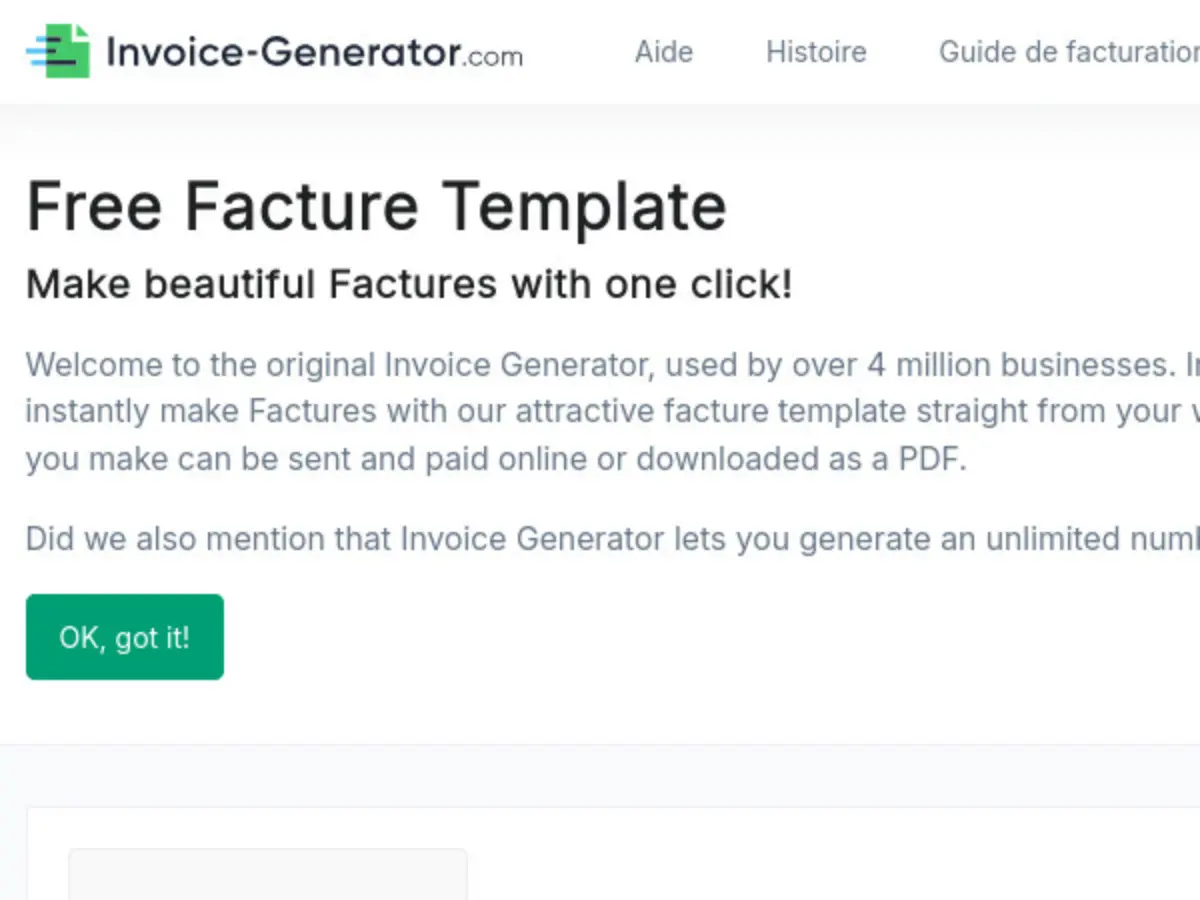
    Invoice Generator, generate your invoice online or via an API.
    Read more
  • Invoice Generator
    Invoice Generator

    Invoice Generator, generate your invoice online or via an API.

    1. Invoice-Generator.com (Online Tool & API)

    This tool functions as a simple, free online invoice maker that allows users to quickly generate professional-looking invoices, primarily aimed at freelancers and small business owners.

    • Ease of Use: It is highly praised for its user-friendliness, speed, and straightforward interface, allowing for quick creation and download.

    • Output Formats: Generates invoices as PDFs.

    • E-Invoicing Support (API): Offers an API (Invoice Generator API) that can generate e-invoices in UBL (Universal Business Language), a format necessary for digital compliance, with the PDF embedded.

    • Customization: Supports adding logos, specifying VAT/Tax details, using custom fields (e.g., purchase order or account number), and adjusting localization (e.g., French, German, Spanish).

    • Data Privacy: The service explicitly states that it does not store user invoice data. However, the web tool can remember the user's last invoice details without requiring a login.

    • API Usage: The API provides endpoints for both PDF and UBL e-invoice creation, accepting inputs via cURL or JSON. The free API plan has a limit of 100 invoices per month.

    2. Comparison of Invoicing Tools (Generator vs. Software)

    The sources distinguish between simple generators and full invoicing software:

    Tool CategoryKey Functionalities (Pros)Key Limitations (Cons)Invoice GeneratorTypically free. Easy to use; what you see is what you get. Offers short-term speed.Does not save invoices, requiring users to manually store them. No automatic tracking of due dates or overdue payments. No easy way to accept payments (requires third-party gateways). Cannot automatically generate credit notes.Invoice SoftwareCreates professional invoices. Saves client, product, and company details for quick reuse. Safely stores all invoices for auditing and bookkeeping. Automatically tracks and flags overdue invoices. Can automatically generate credit notes.Can be a costly investment, though many free options (like Conta) exist.

    3. French E-Invoicing (Facturation Électronique) Framework

    This mandatory governmental system is being introduced in France to replace traditional paper and standard PDF B2B invoices, aiming to simplify tax obligations and reduce fraud.

    • Mandatory Compliance: Applies to all VAT-registered businesses in France.

    • Deadlines: All businesses must be able to receive electronic invoices by September 1, 2026. Emission deadlines vary by company size: large/medium enterprises must issue by September 1, 2026, while small/micro-enterprises must issue by September 1, 2027.

    • Required Formats: Invoices must use specific structured digital formats like Factur-X (XML/PDF hybrid), UBL (Universal Business Language), or CII (Cross Industry Invoice).

    • Transmission Channel: Mandatory exchange must occur via certified Partner Dematerialization Platforms (PDPs). The Public Invoicing Portal (PPF) serves as a central directory and data hub, not a primary exchange platform.

    • E-Reporting: Requires electronic transmission of key transaction data (not the full invoice) to tax authorities for non-B2B transactions, such as B2C sales and cross-border/international transactions (exports/imports).

    • Invoice Lifecycle Management: The system requires real-time, mandatory tracking of the invoice lifecycle, including automated status updates (e.g., Submitted, Rejected, Paid).

    • Sanctions: Failure to issue or transmit e-invoices or e-reporting data can result in significant penalties (e.g., €15 per non-compliant invoice, up to €15,000 annually per business).

    4. Other Software Mentions

    • Momenteo: A free online invoicing and quoting software tailored for freelancers (travailleurs autonomes). Its features include creating and personalizing quotes/invoices, tracking their status, managing clients and expenses, and using an intuitive calendar to track work, mileage, and expenses for simplified bookkeeping.

    • Wave, Zoho Invoice, Square, Bookipi, Paymo: These are full-featured free invoicing software solutions recommended for various business needs, offering features like recurring billing, detailed reporting, client management (mini-CRM in Zoho), time-tracking integration (Paymo), and seamless connection to payment processors.

  • VirtualHostX
    November 28, 2018

    VirtualHostX

    VirtualHostX is an easy-to-install local server environment for macOS. It includes a full Apache web server so you can run as many PHP based websites as you want.

    Read more
  • VirtualHostX
    VirtualHostX

    VirtualHostX is an easy-to-install local server environment for macOS. It includes a full Apache web server so you can run as many PHP based websites as you want.

    This source describe three distinct methodologies and software tools for setting up and managing local web development environments using virtual hosts: a Docker-based setup, the MAMP suite, and the dedicated macOS application VirtualHostX Pro.

    1. Local Docker Development with Virtual Hosts (dnsmasq & nginx-proxy)

    This methodology focuses on simplifying local development when using Docker containers.

    • Problem Resolution: Eliminates the need for developers to manage or worry about port collision.

    • Named Access: Allows developers to use named URLs (e.g., myapp.dev) instead of standard localhost:port notations (e.g., localhost:4000).

    • Key Components: Implemented using a combination of dnsmasq (configured as a local DNS resolver to route *.dev requests to the local Docker instance) and an automated nginx reverse proxy (jwilder/nginx-proxy).

    • Automated Configuration: The nginx reverse proxy automatically updates its configuration by detecting the VIRTUAL_HOST environment variable set on Docker containers.

    2. MAMP and MAMP PRO

    MAMP is a comprehensive local server environment for Mac and Windows, with the PRO version offering extended features.

    • Server Stack: Supports multiple web servers including Apache and Nginx.

    • Database Support: Includes MySQL (versions 5.7 and 8.0).

    • Programming Languages: Supports PHP, Python, and depending on the version/OS, Perl and Ruby.

    • Host Management (PRO): MAMP PRO supports an unlimited number of hosts, compared to the single host limit of the standard MAMP version.

    • PHP Control (PRO): Offers support for an unlimited number of PHP versions and includes features like PHP Cache and various extensions (e.g., Xdebug, Imagick/ImageMagick, Oauth).

    • Developer Utilities (PRO): Features include one-click installation for popular CMSs like WordPress, Joomla, and Drupal, extended web server configuration, SSL support, integrated text editor, dynamic DNS, MySQL database tools (Verify, Repair, Upgrade, Dump), Snapshots, and Backup functionality.

    3. VirtualHostX Pro

    This was a dedicated macOS application designed for local web development, though it is no longer actively developed.

    • Platform Focus: Designed to help web developers and designers build and test websites locally on macOS.

    • Ease of Use: Provides a point-and-click method for setting up new websites and allows users to create as many websites as they want.

    • Integrated Stack: Automatically includes the latest versions of PHP and MySQL.

    • Quick Setup: Allows for WordPress installation in less than 30 seconds.

    • Isolation and Stability: To ensure stability against macOS software updates, the application uses a real Ubuntu Linux virtual machine running under the hood to keep settings self-contained.

    • Current Status: The product has been sunset as of late 2021 due to incompatibility with Apple Silicon Macs (M1/M2). New sales have ended, but existing copies continue to work on Intel-based Macs, and existing license activation limits have been removed.