
Open Source & Free Tools for Web Workers

Discover amazing tech resources, carefully handpicked to keep you up-to-date and elevate your efficiency. Already 1504 badass resources curated.

  • happyconf.net
    Sponsor

    happyconf.net

    Animated slideshows to showcase your speakers, sponsors, organisers, announcements and quotes. Plus handy tools to make your life easier: a remote-controlled countdown timer, a clock, and a prize draw for attendees.
    Read more
  • happyconf.net
    happyconf.net happyconf.net happyconf.net happyconf.net happyconf.net happyconf.net happyconf.net happyconf.net

    Animated slideshows to showcase your speakers, sponsors, organisers, announcements and quotes. Plus handy tools to make your life easier: a remote-controlled countdown timer, a clock, and a prize draw for attendees.

    happyconf.net is a web-based platform designed to transform inactive conference screens into professional, animated displays and provide organizers with practical event management tools.

    The main features of this service include:

    • Animated Slideshows: It allows organizers to create elegant presentations to highlight speakers, showcase sponsors, share announcements, and display quotes from the event.

    • Integrated Event Utilities: Beyond slides, the platform includes a remote-controlled countdown timer, a large room clock, and a fair prize draw system to entertain and inform attendees during breaks.

    • Web-Based and Installation-Free: The service runs entirely in a web browser, requiring no software installation; it can be projected onto any connected screen, TV, or projector.

    • Professional Visual Themes: Users can choose from ready-made themes like "Cyberpunk," "Glassy," or "Romantic," or request a fully custom theme to match their specific graphic identity.

    • Real-Time Dashboard: Content is managed through a private admin area, and the public display updates in real time as changes are made.

    • Event-Based Pricing Model: Instead of a recurring subscription, it offers a "pay-per-event" system with tiers (Starter, Pro, and Custom) tailored to different event sizes, from small meetups to large professional conferences.

    • Privacy and Data Sovereignty: To display content, a login is required; once an event is over, all user data is typically deleted to ensure privacy.

  • Kakoune
    November 13, 2018

    Kakoune

    Kakoune is a code editor that implements Vi’s "keystrokes as a text editing language" model. As it’s also a modal editor, it is somewhat similar to the Vim editor (after which Kakoune was originally inspired).
    Read more
  • Kakoune
    Kakoune Kakoune

    Kakoune is a code editor that implements Vi’s "keystrokes as a text editing language" model. As it’s also a modal editor, it is somewhat similar to the Vim editor (after which Kakoune was originally inspired).

    Kakoune is an open source, modal text editor. It was developed to provide a better code editing environment than traditional Vi/Vim clones.

    Here is a summary of Kakoune's main features and functionalities:

    Core Editing Model and Grammar

    • Modal Editing: Like other modal editors, Kakoune operates in different modes, primarily insert mode (for character insertion) and normal mode (for command execution).

    • Text Editing Language: Kakoune provides a text editing language where commands are composable, allowing programmers to express complex changes efficiently. This makes operations like navigating, copying, pasting, and reformatting easily accessible.

    • Object-Verb Grammar: Kakoune improves upon the Vi model by using an object followed by verb grammar (instead of verb followed by object). This structure is fundamental to its interactive nature.

    • Unified Selection and Motion: In Kakoune, moving is selecting. Simple motion commands, like w (go to the next word), select the text from the current position to the destination. Capital commands often expand the current selection.

    Interactivity and Predictability

    • Instantaneous Visual Feedback: Kakoune provides visual feedback on every command. Because the object is selected first, users always see the current selection before applying the change, allowing them to correct errors immediately.

    • Predictable Commands: Commands are conceptually simple, designed to do one single thing (e.g., d deletes only what is currently selected). Complex actions are achieved through the combination of these simple building blocks.

    • Speed: Kakoune is designed to be fast, often requiring fewer keystrokes than Vim in most use cases.

    Multiple Selections

    • Central Feature: Multiple selections is the central way of interacting with text in Kakoune.

    • Structural Selection: This feature provides a powerful means to express structural selection by allowing users to subselect matches inside current selections, split selections on a regex, or keep selections containing a specific match.

    • Complex Operations: Multiple selections simplify complex operations such as global text replacement, converting case styles (e.g., snake_case to camelCase), swapping arguments, and aligning variables using the & command.

    • Regrouping Text: A special pasting function (<a-p>) allows pasting every yanked selection to regroup text gathered from different places.

    Discoverability and Completion

    • Discoverability Mechanisms: Kakoune uses extensive completion support and auto-information display to make up for the lack of traditional GUI menus.

    • Auto-Information Box: An information box describes commands, detailing what they do, optional switches, and parameters. This box also appears when prefix commands (like g for goto) are hit, listing available options. It can even be set to display an explanation after each normal mode keystroke.

    • Fuzzy Matching Completion: Kakoune uses fuzzy matching (subsequence-based) for completion during both insert mode and prompt mode.

    • Intelligent Code Completion: Insert mode completion can suggest words from the buffer, files, or receive candidates from an external source, enabling intelligent code completion.

    Unix Integration and Extensibility

    • POSIX System Integration: Kakoune is designed to integrate seamlessly with the POSIX system.

    • Shell Integration: Commands like | allow users to pipe current selections through a shell command (such as a filter) and replace the selection contents with the command's output.

    • Controllable from Shell: The editor is easily controllable from the shell using kak -p <session> to execute commands.

    • Extension Model: The extension model is based on shell scripting and shell expansion (%sh{...}).

    • Asynchronous Tasks: Combined with support for fifo buffers, the extension model easily handles asynchronous tasks (like grep or make), displaying results as they arrive.

    • Client/Server Design: Kakoune uses a client/server design where the editing session runs on a server process, and multiple clients can connect to display different buffers. This allows it to leave window management to the system's window manager or terminal multiplexer (like tmux).

  • Hackr.io
    November 13, 2018

    Hackr.io

    Find the Best Programming Courses & Tutorials. Free and paid plans.
    Read more
  • Hackr.io
    Hackr.io Hackr.io Hackr.io

    Find the Best Programming Courses & Tutorials. Free and paid plans.

    Hackr.io | Ultimate Tech Learning Hub is a comprehensive educational platform centered on programming, development, and technology.

    Here is a summary of its main features and functionalities:

    Core Content and Topics

    Hackr.io focuses on a wide range of popular technologies and educational topics:

    • Programming Languages: Python, HTML, JavaScript, Java, C++, PHP, React, and Arduino.

    • Major Areas: Web Development, Data Analysis, Data Structures & Algos, Linux, Docker, Crypto, and AI (Artificial Intelligence).

    • Learning Paths: Content is categorized into Beginner Courses and Intermediate Courses.

    Projects and Practical Application

    A central feature is the emphasis on hands-on project building across various languages:

    • Project Variety: The platform offers extensive lists of projects for languages like Python (e.g., Python File Organizer, Python URL Shortener), HTML (e.g., Interactive Photo Gallery, Professional Portfolio Page), JavaScript (e.g., Drum Kit, Quiz App), Java (e.g., Chat App, Chess Game), and C++ (e.g., Bank Management System, File Encryption App).

    • Code Alongs: The hub also provides Code Alongs for guided practice.

    Educational Resources and Documentation

    Hackr.io provides diverse supporting materials beyond formal courses:

    • Articles and Blog: Features articles covering important topics such as Python Project Ideas, Best Online Learning Platforms, Top AI Coding Assistants, Best Linux Distros for Programming, Best Python IDEs Compared, and guides on specific coding concepts (e.g., understanding Python for loops, using the <img> tag in HTML, or basic Linux Commands).

    • Cheat Sheets: Offers essential quick reference guides for multiple technologies, including C++, Java, Python, SQL, and Big-O Notation.

    • User-Submitted Resources: The platform hosts user-contributed content for topics like Python, HTML, JavaScript, and Linux.

    Integrated Tools and AI Services

    To enhance the learning experience, the service includes various integrated tools:

    • Code Editors (IDEs): Provides dedicated editors for Python, HTML, and JavaScript.

    • AI Tools: Offers AI-powered services like MentorAI and AI Interviewer. Users can also seek guidance from an AI Assistant.

    • VSCode Support: The site features articles reviewing the Best VSCode Extensions for Developers and Top VSCode Themes.

    User and Account Features

    The platform manages user activity and offers distinct plans:

    • It features a user Dashboard.

    • It offers various pricing Plans and Premium membership options.

    • Specific resources and catalog access are available For Students.

  • Bash guide
    November 20, 2018

    Bash guide

    A guide to learn bash: basic operations, basic shell programming, tricks and debugging.
    Read more
  • Bash guide
    Bash guide Bash guide

    A guide to learn bash: basic operations, basic shell programming, tricks and debugging.

    This bash-guide is an open-source educational guide hosted on GitHub designed to help developers learn and master the Bash shell programming language.

    Its main features are structured into comprehensive sections covering both command-line operations and shell scripting fundamentals:

    I. Comprehensive Basic Operations (CLI Commands)

    The guide details various commands used for interacting with the Linux/UNIX command line:

    • File Management (1.1): Includes utilities for viewing, copying, and manipulating files such as cat, cp, mv, rm, touch, and find. It also covers file permissions using chmod (change mode) and chown (change owner), and compression/decompression utilities like gzip and gunzip.

    • Text Processing (1.2): Focuses on powerful commands for filtering and transforming text, including awk (for line-by-line processing and field separation), grep (searching text inside files, including recursive search and case-insensitive options), sed (stream editing), sort, tr (translate/delete characters, used for case conversion), and uniq (reporting unique/repeated lines).

    • Directory Operations (1.3): Explains basic navigation with cd (change directory), directory creation with mkdir (including creating parent directories using -p), and locating the current directory with pwd.

    • System and Network Operations (1.4): Covers utilities for system information (uname, uptime), displaying environment variables (export), checking process status (ps, top), and networking/remote access (ssh, scp, rsync, dig, ping, curl, wget).

    • Process Monitoring (1.5): Includes commands for terminating processes (kill, killall), and managing background execution using & and nohup (No Hang Up).

    II. Basic Shell Programming and Scripting (2.0)

    This section focuses on writing executable scripts in Bash:

    • Script Fundamentals: Details the use of the shebang line at the start of a script (e.g., #! /usr/bin/env bash).

    • Variables and Arrays: Explains variable creation (without data types) and retrieval using $, as well as using zero-based arrays. It also covers advanced variable expansion for conditional returns and substring operations.

    • String Manipulation: Provides syntax for string substitution (replacing or deleting patterns from the beginning/end of a string), string tricks for case conversion (e.g., ^, ,), and conditional pattern matching using [[ ... ]].

    • Functions: Defines how to declare and call functions, including how to pass and retrieve arguments ($1).

    • Conditionals and Loops: Details the use of if/then/else statements and provides a detailed list of expression operators (e.g., file existence -e, read permission -r, numeric comparisons -lt, -eq). It also includes syntax for case statements and for, while, and until loops.

    • Regular Expressions (Regex): Offers an overview of regex metacharacters in Bash, including how to use dot (.), asterisk (*), plus (+), and grouping (()) with examples.

    • Pipes: Explains how to link multiple commands using the pipe symbol | to connect standard-output to standard-input.

    III. Tricks, Debugging, and Multi-threading (3.0 - 5.0)

    • Tricks: Provides practical tips, such as setting aliases in ~/.bash_profile, quickly accessing directories, re-executing previous commands using !! (or with sudo), and using trap for cleanup on exit.

    • Debugging: Offers simple ways to debug scripts using bash command options: -n (syntax check only), -v (echo commands before running), and -x (echo commands after processing).

    • Multi-threading: Shows how to run jobs simultaneously in the background using & and wait for them to finish using the wait command.

    IV. Platform Context (GitHub Features)

    As a GitHub repository, the guide benefits from platform features supporting its structure and community:

    • Collaboration: It supports contributions via Pull Requests and is available in multiple translations (e.g., Chinese, Russian, Spanish, Turkish).

    • Popularity: The repository is highly popular, boasting 12.2k stars and 1k forks.

    • GitHub Ecosystem: The platform integrates tools like GitHub Copilot (for writing code with AI), Codespaces (for instant dev environments), Actions (for automating workflows), and GitHub Advanced Security (for finding vulnerabilities).

  • PureScript
    February 28, 2019

    PureScript

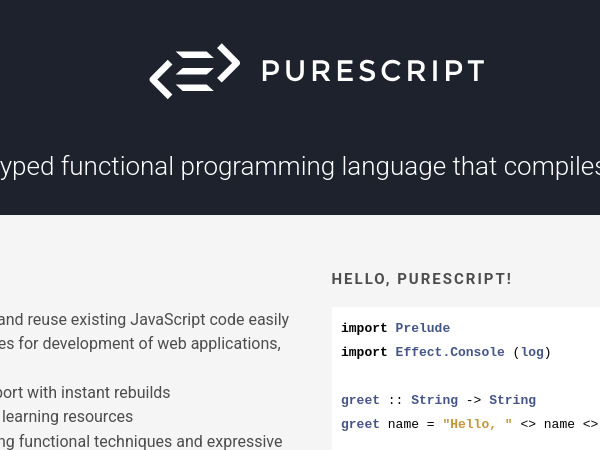
    PureScript is a strongly-typed functional programming language that compiles to JavaScript

    Read more
  • PureScript
    PureScript PureScript

    PureScript is a strongly-typed functional programming language that compiles to JavaScript

    PureScript, a programming language.

    Core Characteristics and Language Features

    PureScript is characterized as a strongly-typed functional programming language. A primary functionality is that it compiles to JavaScript, which is readable, and allows users to reuse existing JavaScript code easily.

    The language supports the construction of real-world applications using advanced functional techniques and expressive types, such as:

    • Algebraic data types and pattern matching.

    • Row polymorphism and extensible records.

    • Higher kinded types.

    • Type classes with functional dependencies.

    • Higher-rank polymorphism.

    Tooling, Ecosystem, and Functionalities

    PureScript is designed to facilitate development of web applications, web servers, apps, and more.

    Development and Build Tools:

    • It offers excellent tooling and editor support, including features like instant rebuilds.

    • The recommended build tool for PureScript is Spago, which can be installed using NPM.

    • NPM (Node Package Manager) is recommended for managing JavaScript dependencies within a project.

    Installation:

    • PureScript can be installed via precompiled binaries available for OSX, Linux, and Windows.

    • It can also be installed using npm (npm install -g purescript), although this method requires Node version 8 or later.

    Resources and Community:

    • The platform provides an extensive collection of libraries. Searchable documentation for these packages is hosted on the Pursuit package database.

    • Learning resources include the free book PureScript By Example (which contains practical projects for beginners), and a dedicated documentation repository on GitHub.

    • The language benefits from an active community, with places for discussion including the PureScript Discourse instance and the PureScript Discord server.

  • piecejs
    October 21, 2024

    piecejs

    Front-end framework for a versatile and native web components management.

    Read more
  • piecejs
    piecejs

    Front-end framework for a versatile and native web components management.

    piecesjs, is a lightweight JavaScript framework designed for the versatile and native management of web components in the front-end. It is specifically built upon native web components.

    Features:

    Core Architecture and Performance

    • Lightweight Framework: piecesjs is a small framework, noted as being [1.8kb], that avoids the overhead of unnecessary code or restrictive architectures common in larger frameworks.

    • Modular "Pieces": At its core, a "Piece" is a modular component that functions independently, featuring its own encapsulated styles and interactions.

    • Dynamic JS & CSS Import: It automatically imports only the necessary JavaScript and CSS required for the specific page, which optimizes performance.

    • Designed for Interactivity: It is tailored for creative websites that rely heavily on JavaScript logic—specifically sites managing multiple steps, states, and events—offering a streamlined and scalable approach for highly interactive experiences.

    Component Interaction and Communication

    • Seamless Communication: Components are designed to communicate effortlessly with each other.

    • this.call(): This method allows developers to call a function of any component (Piece) from any other component. If a specific pieceId (set using the cid attribute) is not provided, the function will be called on all occurrences of that component type.

    • this.emit() and Custom Events: Developers can emit custom events (by default on the document), which other Pieces can listen to using this.on().

    Event and DOM Management

    • Scoped Event Management: Events can be easily managed within a component's scope using the methods this.on() (for registering event listeners) and this.off() (for removing them, often placed in the unmount() lifecycle method).

    • HTML Event System: piecesjs provides a declarative way to handle events directly within your HTML using data-events-* attributes (e.g., data-events-click). This system automatically scans for these attributes during mount, binds listeners, and cleans them up on unmount.

    • Convenient Access to Scoped HTMLElements (Queries): Developers can quickly access elements within the component scope using this.$() or this.domAttr('slug'). this.domAttr queries elements based on a data-dom slug attribute. The framework also offers methods like this.$All(), this.domAll(), and this.domAttrAll() if a NodeList is preferred, even for single elements.

    Utilities and Lifecycle

    • PiecesManager: This manager provides centralized access to all active pieces currently visible on the page, simplifying component management. It can be accessed globally or via this.piecesManager inside a Piece.

    • Lifecycle Methods: The framework includes specific lifecycle functions for components: premount(), render(), mount(), update(), and unmount(). The update() method is automatically called if an attribute is changed, triggering unmount(), premount(), and mount() in sequence.

    • Efficient Global CSS Management: Provides streamlined handling for organizing global CSS imports.