Open Source & Free Tools for Web Workers

Discover amazing tech resources, carefully handpicked to keep you up-to-date and elevate your efficiency. Already 1501 badass resources curated.

  • Remote Rocketship
    Sponsor

    Remote Rocketship

    Find Your Dream Remote Job. Search 100,000+ work from home jobs at top remote companies. Loved by 10,000+ remote workers

    Read more
  • Remote Rocketship
    Remote Rocketship Remote Rocketship Remote Rocketship Remote Rocketship

    Find Your Dream Remote Job. Search 100,000+ work from home jobs at top remote companies. Loved by 10,000+ remote workers

    Remote Rocketship is a powerful job search platform designed to help you land your dream remote career by uncovering thousands of opportunities that other job boards miss.

    Here are the key benefits that give you a competitive edge:

    • Access to "Hidden" Jobs: Unlike traditional job boards that require companies to pay for listings, Remote Rocketship scrapes the entire internet daily to find jobs directly from company websites. This ensures you don't miss out on positions from top companies that choose not to use paid platforms like LinkedIn.

    • A Crucial Head Start: In a competitive market, being first matters. The tool finds jobs as soon as they are posted, allowing you to submit your application before the competition even knows the role exists.

    • Effortless Job Hunting: Instead of manual searching, you can set up daily email alerts that deliver the latest openings tailored to your specific interests directly to your inbox.

    • Hyper-Targeted Search: You can filter through over 100,000 remote jobs using granular criteria such as minimum salary, tech stack (e.g., Python, AWS), visa sponsorship (H1B), or even "no degree required" roles.

    • Global and Diverse Opportunities: The platform covers a vast range of industries—including AI, Fintech, Cybersecurity, and Marketing—and tracks remote-friendly roles in the US, Canada, Europe, Brazil, and worldwide.

    • Authenticity and Trust: Built originally as a personal tool to help the founder's wife find work, the service focuses on providing legitimate, up-to-date work-from-home listings by checking company websites multiple times a day.

      The website link is an affiliate link.

  • Shipfast
    Sponsor

    Shipfast

    Ship your startup in days, not weeks. Shipfast is a NextJS boilerplate with all you need to build your SaaS, AI tool, or any other web app and make your first $ online fast.

    Read more
  • Shipfast
    Shipfast Shipfast Shipfast Shipfast Shipfast

    Ship your startup in days, not weeks. Shipfast is a NextJS boilerplate with all you need to build your SaaS, AI tool, or any other web app and make your first $ online fast.

    ShipFast is a comprehensive NextJS boilerplate designed to help entrepreneurs and developers launch startups as quickly as possible, ideally within minutes. It provides a pre-configured foundation that includes all the essential "plumbing" of a modern web application so users don't have to build common features from scratch.

    The main features of the tool include:

    • Full-Stack Infrastructure: It comes integrated with Next-Auth for user authentication (supporting Google OAuth and Magic Links) and offers out-of-the-box support for databases like MongoDB and Supabase.

    • Ready-to-Use UI Components: The boilerplate includes a wide array of React components specifically for conversion, such as pricing tables, FAQ sections, testimonials, and "Hero" sections.

    • Monetization & Communication: It features built-in integrations for Stripe subscriptions and payments, along with email handling systems for tools like Mailgun or Resend.

    • Optimized for Growth: The tool is pre-configured with SEO best practices, analytics, and customer support modules to help a new business scale.

    • Security & Reliability: It incorporates essential security features such as rate limiting, schema validation, and security headers to protect the application.

    • Centralized Customization: Most of the app's behavior is controlled through a single config.js file, which acts as the backbone of the application and simplifies the setup process.

    The project structure is designed for efficiency, with dedicated directories for API routes, database models, and library helper functions, allowing for a clean and scalable codebase.

  • Musify
    November 11, 2025

    Musify

    The open-source music app for Android that offers streaming and offline listening.
    Enjoy custom playlists, high-quality audio, and lyrics support - all completely free, with no ads or subscriptions.

    Read more
  • Musify
    Musify Musify

    The open-source music app for Android that offers streaming and offline listening.
    Enjoy custom playlists, high-quality audio, and lyrics support - all completely free, with no ads or subscriptions.

    Musify is an open-source music app developed for Android.

    Its main characteristics include:

    • Music Access: It offers both streaming and offline listening capabilities.

    • Features: Users can enjoy custom playlists and benefit from lyrics support.

    • Audio Quality: It provides high-quality audio.

    • Cost Model: Musify is completely free, operating with no ads or subscriptions.

  • Murmure
    November 7, 2025

    Murmure

    A privacy-first, open-source speech-to-text application that runs entirely on your machine, powered by a neural network via NVIDIA’s Parakeet model for fast, local transcription.

    Read more
  • Murmure
    Murmure

    A privacy-first, open-source speech-to-text application that runs entirely on your machine, powered by a neural network via NVIDIA’s Parakeet model for fast, local transcription.

    Murmure is a speech-to-text application primarily focused on privacy and local processing.

    Here is a summary of its main features:

    Core Functionality and Privacy

    • Speech-to-Text Application: Murmure is an open-source speech-to-text application that runs entirely on the user's machine.

    • Privacy First and Local Processing: All transcription processing happens locally on your device. This means no data ever leaves your computer.

    • No Internet Required: Because all computation is local, Murmure requires no network connection to function.

    • Zero Telemetry: The application features zero tracking and zero analytics, ensuring your data remains private.

    • Open Source: It is free and open source software, allowing users to inspect, modify, and contribute to the code.

    Technology and Performance

    • Powered by Parakeet: Murmure uses NVIDIA’s Parakeet TDT, which is described as a state-of-the-art, highly optimized, experimental transformer-based speech recognition model.

    • On-Device Inference: The model is designed for fast, low-latency, on-device inference. It runs efficiently on consumer GPUs or CPUs, combining fast transcription with strong accuracy across multiple languages.

    Usability and Use Cases

    • Instant Transcription: Once launched, users simply start recording their voice, and the text appears instantly, processed directly on the computer.

    • Extensive Language Support: Murmure supports 25 European languages. These include English, French, German, Spanish, Italian, Russian, Swedish, Polish, and others.

    • Typical Use Cases: The tool is suitable for dictating to AI prompts (such as Cursor, ChatGPT, or Mistral), writing notes hands-free, or capturing creative ideas or dictation.

    Advanced Features (Current and Experimental)

    • Experimental API: A recent feature addition (Version 1.3.0) included an experimental API that allows Murmure to connect with external software (which can be enabled in Settings → System).

  • ChronoFrame
    November 6, 2025

    ChronoFrame

    ChronoFrame, self-hosted personal gallery. Manage photos online with multi-storage backends, LivePhoto, and globe view.

    Read more
  • ChronoFrame
    ChronoFrame ChronoFrame ChronoFrame

    ChronoFrame, self-hosted personal gallery. Manage photos online with multi-storage backends, LivePhoto, and globe view.

    ChronoFrame is a self-hosted personal gallery designed for online photo management. It operates under the MIT License and is open source.

    Key Features and Capabilities

    • Powerful Photo Management: Users can easily manage and browse photos through a web interface. The tool allows users to view photo locations on a map.

    • Smart Geolocation: It automatically extracts GPS information from photos. It uses Mapbox for geocoding and displays photo locations effectively on a map.

    • Dynamic Photo Support: ChronoFrame provides full support for dynamic photo formats, including Apple LivePhoto and Google-standard Motion Photo. It automatically detects and processes MOV video files to ensure dynamic photo effects are preserved.

    • Flexible Storage Solutions: The tool supports multiple storage backends, including S3-compatible storage and the local filesystem.

    • Simple Deployment: Deployment is straightforward, often requiring only one command using Docker. Notably, the system does not require a database (as it is based on SQLite3).

    • Responsive Design: ChronoFrame is optimized for user experience on both desktop and mobile devices. It supports touch operations and gesture controls, providing a native app-like experience.

  • AltSendMe
    November 4, 2025

    AltSendMe

    AltSendme is frictionless peer-to-peer file transfer cross-platform desktop application using iroh to send files and directories over the internet.

    Read more
  • AltSendMe
    AltSendMe AltSendMe AltSendMe

    AltSendme is frictionless peer-to-peer file transfer cross-platform desktop application using iroh to send files and directories over the internet.

    AltSendme, is a cross-platform desktop application designed for frictionless private file transfer, both locally and globally, using iroh technology to send files and directories over the internet.

    Here is a summary of its principal functionalities and features:

    Core Functionality & Usage

    • Peer-to-Peer Transfer: AltSendme facilitates direct, peer-to-peer (P2P) file transfer between the sender and receiver.

    • Frictionless Sharing: It is designed to be frictionless, fast, private, unlimited, and free.

    • No Account Required: The transfer process requires no account requirements.

    • Sending Files: Users can initiate sharing by clicking the "Send Files" tab and either dragging and dropping files/folders or using the "Select File" or "Select Folder" option. Sharing requires generating and distributing a ticket.

    • Receiving Files: Users receive files by clicking the "Receive Files" tab, pasting the ticket received from the sender, and clicking "Receive File". Files are saved to a folder chosen by the receiver.

    Security and Integrity

    • End-to-End Encryption: All traffic between endpoints is end-to-end encrypted using QUIC + TLS 1.3.

    • Secure Implementation: The application is explicitly described as secure, utilizing 256-bit node IDs with TLS encryption.

    • Verified Streaming: It ensures data integrity through Blake3-verified streaming.

    • Privacy: Users maintain full control and privacy when sharing files.

    Reliability and Connectivity

    • Resumable Downloads: Interrupted downloads can be resumed seamlessly.

    • NAT Traversal: It automatically handles network address translation (NAT) traversal using NAT Hole Punching, falling back to a relay server if a direct connection is not possible.

    Compatibility and Architecture

    • Cross-Platform: AltSendme is a Cross-Platform native desktop application available for Windows, macOS (Intel x86_64 and Apple Silicon), and Linux (deb and AppImage).

    • CLI Compatible: It is interoperable with the sendme CLI tool. Both the desktop and CLI versions use the same core networking library, meaning tickets generated by the CLI can be used in the desktop version, and tickets generated by the desktop can be used in the CLI version; both can send/receive to each other.

    • Modern Design: The application features a Modern UI, which is a React-based interface built with modern web technologies. The backend uses Rust with the Tauri framework.

  • Memos
    November 1, 2025

    Memos

    Open Source, Self-Hosted, Privacy-first note-taking service with zero telemetry. No tracking, no ads, no subscription fees.

    Read more
  • Memos
    Memos Memos Memos Memos

    Open Source, Self-Hosted, Privacy-first note-taking service with zero telemetry. No tracking, no ads, no subscription fees.

    Memos is an Open Source, Self-Hosted note-taking service. It emphasizes privacy, speed, and simplicity.

    Here are the principal characteristics of this tool:

    Privacy and Data Control

    • Privacy-First: Memos operates with zero telemetry. It includes no tracking, no ads, and no subscription fees.

    • Complete Data Ownership: Users have full control over their data, which is securely stored in their local database. This model ensures there is no vendor lock-in.

    • Free Forever: All features are completely free to use, with no hidden costs.

    Performance and Technology

    • Speed and Instant Access: It offers lightning-fast performance and instant loading of notes because it does not depend on cloud latency.

    • Lightweight Architecture: Memos is described as lightweight but powerful, built using Go and React, and featuring a clean, minimal design.

    • Markdown Support: It utilizes plain text storage for maximum portability and offers full Markdown support for fast formatting and easy sharing.

    • Unrestricted API: It provides full REST and gRPC API access with no limitations or paid tiers for integration features.

    • Additional Features: It includes support for dark mode.

    Flexibility and Community

    • Customizable: Users can personalize their Memos instance with custom branding, themes, and UI elements.

    • Open Source: All code is available on GitHub, promoting transparency and collaboration.

    • Trusted by Developers: Memos is supported by a large community, noting over 45K+ GitHub Stars, 340+ contributors, and 7.1M+ Docker Pulls.

    • Easy Deployment: Users can deploy the service quickly, for instance, via a single Docker command.

  • Handy Computer
    October 30, 2025

    Handy Computer

    Speak into any text field, the free and open source app for speech to text.

    Read more
  • Handy Computer
    Handy Computer Handy Computer

    Speak into any text field, the free and open source app for speech to text.

    Handy is a speech-to-text application whose creation was motivated by a personal experience: the developer broke a finger, resulting in his hand being out of commission, and found that existing applications were neither open source nor extensible. Handy was created to fill this gap.

    Project Goals and Philosophy

    Handy is not trying to be the best speech-to-text app. It is trying to be the most forkable one.

    Handy is intended to be a starting point for those who need accessibility features, want to experiment with voice computing, or simply prefer tools they can actually own and modify. The project is intentionally tiny and extensible. The philosophy is to encourage the community to take it, fork it, modify it, break it, fix it. The objective is to serve as both a useful tool and a foundation for others to build upon, allowing the community to create something better than any single person could build alone. The user is invited to make Handy perfect for them.

    Features and Usage

    Handy is described as probably the most simple speech-to-text app. Its only function is to put whatever you say into a text box.

    Usage involves a keyboard shortcut:

    1. Press and hold a keyboard shortcut.

    2. Speak.

    3. Release.

    Your words then appear wherever you were typing. Recording can be started/stopped via a shortcut or by using the "push-to-talk" mode.

    Technical Details ("Under the Hood")

    Handy is designed for maximum autonomy and flexibility:

    • Offline Operation: It runs completely offline using the Whisper model.

    • Transcriptions: It transcribes speech using Whisper Small.

    • Silence Filtering: Silence is removed via a VAD filter (silero).

    • Integration: The text is pasted directly into whatever app you are using.

    • Resources: It runs entirely on your machine and benefits from GPU acceleration when available.

    • Accessibility: It requires no subscriptions or cloud services.

    • Compatibility: Handy works on Windows, macOS, and Linux.

    Contributions and Community

    The creator is actively looking for contributors who want to help make the codebase cleaner, more robust, and more accessible. The hope is that Handy can be the simplest starter codebase for someone wanting to play around with a desktop speech-to-text application.

    Users are encouraged to implement their own features. It is suggested that this might be possible without any programming experience with the help of Claude Code and agentic programming tools. If you love Rust and see places where the code can be better, you are invited to submit PRs (Pull Requests) or reach out at contact@handy.computer, with the goal of collectively learning from a well-patterned simple codebase.

  • Language Tool
    October 30, 2025

    Language Tool

    LanguageTool is a browser extension and an AI-based grammar checker. Paste your text or start typing below to check grammatical errors and spelling mistakes across languages.

    Read more
  • Language Tool
    Language Tool

    LanguageTool is a browser extension and an AI-based grammar checker. Paste your text or start typing below to check grammatical errors and spelling mistakes across languages.

    LanguageTool is an AI-based writing assistant that functions as a comprehensive tool going beyond simple spell checking. It is trusted by millions of users and thousands of organizations.

    Here are the main characteristics of the tool:

    Core Functionality and Error Correction

    The primary function of LanguageTool is to check for grammatical errors and spelling mistakes across various languages. It is described as a powerful tool that offers in-depth analysis of text.

    Key correction features include:

    • Grammar Check: It eliminates grammar gaffes such as incorrect subject-verb agreement, wrong plural forms, or misuse of grammatical forms.

    • Spelling Correction: It finds typos and misspellings, typically underlining them in red.

    • Punctuation Fixes: It ensures proper usage of punctuation like commas, dashes, and hyphens. Its advanced punctuation checker excels at identifying and correcting comma errors, distinguishing between optional and required commas, and handling complex sentence structures. It can also advise when too many exclamation points have been used.

    • Casing Confirmation: It corrects incorrect capitalization or lowercase letters related to names, months, places, or national identities.

    • Style Improvement: It helps writing be more stylish by detecting overused phrases, foreign terms, redundant words, and improper word choice (indicated by a blue underline).

    • Paraphrasing: It includes an A.I.-based paraphrasing tool that helps users rewrite entire sentences to make them simpler, shorter, more formal, fluent, or concise.

    Language Support and International Reach

    LanguageTool is referred to as the Most International Writing Tool.

    • It masters more than 30 other languages and dialects.

    • Its main languages include English, German, Portuguese, Spanish, French, and Dutch.

    • For the English version, users can select between six standard varieties: US, UK, Canada, Australia, New Zealand, and South Africa.

    • Browser add-ons automatically detect the language being used.

    Availability and Integration

    LanguageTool is not bound to a specific program or website. It provides extensive integration across various platforms:

    • Dedicated Editor: Users can use the LanguageTool Editor, which offers a distraction-free writing experience, a Personal Dictionary, and secure text storage. The Editor also allows access to the "Picky Mode" for advanced suggestions on style and typography.

    • Browser Add-ons: Available for all common internet browsers, including Chrome, Edge, Firefox, Safari, and Opera. These add-ons provide suggestions while typing emails, blog posts, or simple tweets. Crucially, the browser add-on does not store text to respect user privacy.

    • Office and Mail Plugins: Add-ons are available for Gmail, Outlook (BETA), Apple Mail, and Thunderbird. Office plugins support Google Docs, Word (including macOS and Windows versions, and the online version), Apple Pages, and LibreOffice.

    • Apps: Dedicated apps are available for macOS and Windows, enabling advanced grammar, spelling, and style suggestions in supported applications like Pages, Mail, Slack, Word, Notes, Messages (on macOS) and Outlook, Wordpad, and Notepad (on Windows).

    Additional Features and Versions

    • Statistics: A feature to track productivity and consistency in writing. It provides an overview of languages used, errors made, and suggestions applied, helping users see their skills improve.

    • Error Display: Suggestions and error displays are shown automatically and directly while typing.

    • Versions: LanguageTool is available in a Free version (which corrects spelling, simple punctuation, and some style mistakes) and a Premium version (which reveals all errors and offers the best possible text). Team accounts are also available for companies. Students may receive a discount.

  • Keystatic
    October 28, 2025

    Keystatic

    Content Management for your Codebase. A tool that makes Markdown, JSON and YAML content in your codebase editable by humans. Live edit content on GitHub or your local file system, without disrupting your existing code and workflows.

    Read more
  • Keystatic
    Keystatic Keystatic

    Content Management for your Codebase. A tool that makes Markdown, JSON and YAML content in your codebase editable by humans. Live edit content on GitHub or your local file system, without disrupting your existing code and workflows.

    Keystatic is a Content Management for your Codebase. Its primary function is to make Markdown, JSON, and YAML content within your codebase editable by humans. It is designed to allow users to live edit content on GitHub or your local file system without interfering with existing code and workflows.

    Features:

    Architecture and Core Experience

    • First-class CMS Experience: Keystatic aims to provide a high-quality content management experience.

    • Database-less: A fundamental feature is that it uses no database. Content is based on Markdown, YAML, and JSON files.

    • Editing Modes: It supports two-way editing. Content can be edited via the Admin UI or directly in codebase files.

    • Language Support: It features a TypeScript API.

    • Content Format Support: It supports Markdoc and MDX.

    Integration and Setup

    • Framework Integration: Keystatic offers official integration guides for major frameworks, including Astro, Next.js, and Remix.

    • Quick Start: Developers can set up a new Next.js, Astro, or Remix project quickly using the Keystatic CLI (npm create @keystatic@latest).

    • GitHub Connectivity (GitHub Mode): It supports connecting to GitHub to manage content. The core concepts include Local mode and GitHub mode.

    • Keystatic Cloud: Keystatic Cloud offers services like simplifying GitHub authentication and providing tools to optimise images.

    Content Management and Structuring

    • Content Organization: Keystatic needs to be taught how to find and organize content within the codebase.

    • Content Structures: Content organization is set up using Collections (for multiple entries) and Singletons (for unique settings/pages).

    • Fields API: It offers a comprehensive Fields API for defining content schemas, including:

      • Basic types: Text, Number, Integer, URL, Checkbox, Date, Datetime, and Select.

      • Media/Files: Image, File, and Cloud Image.

      • Complex structures: Array, Blocks, Object, Relationship, Conditional, Markdoc, and MDX.

    • Core Concepts: Functionalities rely on core concepts such as Content organisation, Path wildcard, Format options, and Entry Layout.

    Data Retrieval (Reader API)

    • Reader API: Developers can retrieve data from the project directory using the Reader API. This API allows querying content, such as listing slugs from a collection.

  • FileBrowser Quantum
    October 26, 2025

    FileBrowser Quantum

    The best free self-hosted web-based file manager with multiple sources, OIDC authentication, and real-time indexing.

    Read more
  • FileBrowser Quantum
    FileBrowser Quantum FileBrowser Quantum

    The best free self-hosted web-based file manager with multiple sources, OIDC authentication, and real-time indexing.

    FileBrowser Quantum is an open-source (Apache 2.0 Licensed) and self-hosted web-based file manager. It is noted for being a massive fork with revolutionary features.

    Features:

    Core Architecture and Performance

    • It supports multiple sources.

    • It features real-time indexing.

    Security and Access Control

    • It provides Advanced Authentication and enterprise-grade security.

    • Supported authentication methods include OIDC authentication, password + 2FA, and proxy authentication.

    • It offers Directory Access Control, which involves granular permissions scoped to users or groups, allowing for precise control of access at the directory level.

    File Handling and Viewing

    • It supports Office File Support.

    • It allows users to Edit Office documents directly in the browser using OnlyOffice integration.

    • It supports previews for both video and office files.

    Sharing Capabilities

    • It features Configurable Sharing.

    • Users can create shares with specific requirements, including expiration times, user restrictions, styling options, and granular permissions.

    Search Functionality

    • The tool implements Real-Time Search.

    • The search is content-aware across the entire filesystem.

    • It supports the use of file sizes and advanced filters.

    Developer Features

    • A Developer API is available.

    • The API provides long-lived API tokens and is documented with comprehensive Swagger documentation, enabling the creation of integrations and automation of workflows.

  • Ente
    October 23, 2025

    Ente

    Safe home for your photos. Store, share, and discover your memories with end-to-end encryption.

    Read more
  • Ente
    Ente Ente Ente

    Safe home for your photos. Store, share, and discover your memories with end-to-end encryption.

    Ente Photos, is primarily an end-to-end encrypted (E2EE) and privacy-oriented photo storage service designed as a viable alternative to Google Photos and iCloud Photos.

    Features and functionalities:

    Core Privacy and Security Features

    • End-to-End Encryption (E2EE): All photo and video backups are end-to-end encrypted, ensuring absolute privacy. It uses zero-knowledge encryption, meaning the service cannot access the content. It also encrypts the metadata.

    • Open Source & Audited: The application is fully open-source and has undergone a cryptographic audit.

    • No Data Exploitation: The platform operates with No Ads, No Tracking, and No Training.

    • Secure Backup: Backups are stored in 3 locations and are accessible from any device. It offers 2FA (two-factor authentication) for enhanced security.

    Photo Management and Organization

    • AI and Search: It includes Zero knowledge AI that allows users to search for anything in natural language. It also allows searching through the encrypted metadata.

    • Face Recognition: Features on-device face detection and grouping.

    • Memories and Curation: It provides Curated memories to help users relive their best moments from past events and everyday life.

    • Smart Features: It supports Smart Albums and Hidden Photos.

    • Quality and Metadata: It retains original quality and EXIF metadata. It also handles "live" iPhone photos and respects the HEIC format.

    • Visual Tools: The app features a great map function and offers Widgets for Memories, Albums, and People.

    • Space Management: It makes it easy to manage photos and free up space on your phone once files are safely backed up on its server.

    Sharing and Collaboration

    • Shared Albums: Users can create Shared albums to collect photos and collaborate both inside and outside Ente.

    • E2EE Sharing: If a friend is on Ente, users can add them as a viewer or collaborator to an album, and this sharing remains end-to-end encrypted.

    • Public Links: Users can generate Public links to share albums. Non-Ente users can view photos on a browser without installing the app or needing an account. These links can also allow guests to upload photos, and these uploads are also end-to-end encrypted.

    • Guest View is also listed as a feature.

    Platform, Migration, and Access

    • Cross-Platform Support: Ente is cross-platform with dedicated apps for Android, iOS, Web, Mac, Linux, and Windows. All apps automatically backup photos in the background.

    • Self-Hosting Option: The service is self-hostable. It also offers a Command Line Interface (CLI) for those who wish to run Ente on their servers.

    • Migration: It offers a simple migration process to transfer photos from both Google and Apple (by using data takeout and dropping it into the Desktop app).

    • Import/Export: Features include Easy Import and Easier Export.

    Plans and Service

    • Free Tier: Offers 10GB free forever.

    • Family Plans: Users can share their subscription with up to 5 family members at no extra cost. Each member gets their own private space.

    • Legacy Contacts.

    • Customer Support: The developers are noted for being active and responsive and providing prompt, top-notch customer support.

  • Activist Checklist
    October 23, 2025

    Activist Checklist

    Digital Security Checklists for Activists. Plain language steps for digital security. Because protecting yourself helps keep your whole community safer.

    Read more
  • Activist Checklist
    Activist Checklist Activist Checklist

    Digital Security Checklists for Activists. Plain language steps for digital security. Because protecting yourself helps keep your whole community safer.

    "Activist Checklist - Digital Security for Activists".

    1. Purpose and Philosophy

    This resource provides plain language steps for digital security. It is built because digital security should not be overwhelming. It operates on a harm reduction approach, encouraging users to "start where you are and do what you can". A core message is that protecting yourself helps keep your whole community safer. It aims to counter common misconceptions, stressing that data can be used to map networks of activists and that users can significantly reduce their digital footprint.

    2. Content and Guides

    The resource features various comprehensive checklists organized by specific security needs:

    • Security essentials (core security practices every activist should follow).

    • Prepare for a protest (digital security for anyone attending a protest).

    • Signal security checklist (securing the Signal messaging app).

    • Travel & flight security (digital security practices for activists traveling).

    • Secondary phone (setting up an extra phone for activism and protests).

    • Spyware protection (protecting against spyware and surveillance software).

    • Emergency planning (establishing an emergency support network).

    • Action organizer checklist (for movement organizers and coordinators).

    3. Reliability and Maintenance

    The guides are built from experience, drawing from real organizing work and direct feedback from activists. The content is regularly updated and reviewed by organizers who understand security concerns, ensuring the information remains current as risks and technologies evolve.

    4. Additional Features and Context

    The site includes pages detailing Latest Surveillance News and Recent Site Updates, such as new pages on Link Sharing and the addition of a Personal Emergency Planning Checklist. The project is affiliated with the Neighborhood Anarchist Collective and its content is available under Creative Commons BY-SA.

  • Docs
    October 22, 2025

    Docs

    A collaborative note taking, wiki and documentation platform that scales. Built with Django and React. Opensource alternative to Notion or Outline.

    Read more
  • Docs
    Docs Docs Docs

    A collaborative note taking, wiki and documentation platform that scales. Built with Django and React. Opensource alternative to Notion or Outline.

    Docs (or La Suite Docs) is a collaborative note-taking, wiki, and documentation platform built with Django and React.

    1. Core Platform and Purpose

    Docs is designed to be a collaborative note taking, wiki and documentation platform that scales. Its core purpose is to help teams turn their notes into organized knowledge through live collaboration. It is open source, licensed under the MIT License.

    2. Writing and Content Creation Features

    The platform offers tools focused on ease of writing and accessibility:

    • Simple Editing: It provides simple, accessible online editing.

    • Formatting Options: Users can create clean documents with beautiful formatting options.

    • Syntax Flexibility: Users can focus on their content using either the in-line editor or the Markdown syntax.

    • Block Types: Pages can be quickly designed using many block types, accessible via the / slash commands or keyboard shortcuts.

    • AI Integration: Docs includes built-in AI actions designed to save time, such as rephrasing, summarizing, fixing typos, and translating. Users can also turn selected text into a prompt for AI actions.

    • Offline Functionality: Edits made while offline will be automatically synced once the user is back online.

    3. Collaboration and Knowledge Organization

    Docs is specifically designed for teamwork and knowledge sharing:

    • Real-Time Collaboration: Users can enjoy live editing and see their team collaborate in real time.

    • Access Control: It supports granular access control to keep information secure and ensure sharing only with the right people.

    • Knowledge Structuring: Collaborative work can be turned into organized knowledge with Subpages.

    • Exporting Content: Content can be exported in multiple formats, including .odt, .docx, and .pdf, utilizing customizable templates. (Note: Export as PDF is considered an advanced feature that relies on GPL-licensed packages unless specifically excluded during the build process).

    4. Technical and Deployment Capabilities (Self-Hosting)

    Docs is designed to be self-hostable:

    • Easy Installation: It is easy to install on user's own servers.

    • Deployment Methods: While the production instance uses Kubernetes, it also supports Docker Compose. Other community-contributed methods (like Nix and YunoHost) are also available.

    • Local Testing: Developers can run Docs locally for testing using Docker and Docker Compose, often leveraging Minio (or any other S3-compatible storage solution).

    5. Associated GitHub Platform Features

    Since Docs is hosted and developed on GitHub (suitenumerique/docs), its development and security benefit from GitHub features mentioned in the source material:

    • Development Tools: Includes standard tools for planning and tracking work (Issues), managing code changes (Pull requests, Code Review), and automating workflows (Actions).

    • Security Features: The platform can integrate with GitHub Advanced Security features designed to find and fix vulnerabilities.

    • AI Development Tools: The platform context includes access to GitHub Copilot (to write better code with AI) and Copilot for business (enterprise-grade AI features).

  • Bridgy fed
    October 16, 2025

    Bridgy fed

    Bridgy Fed is a decentralized social network bridge. It is built and run by A New Social, a non-profit organization, and is entirely free to use.

    Read more
  • Bridgy fed
    Bridgy fed Bridgy fed

    Bridgy Fed is a decentralized social network bridge. It is built and run by A New Social, a non-profit organization, and is entirely free to use.

    Functionality and Connectivity:

    • Bridging Networks: The primary function of Bridgy Fed is to connect the fediverse, the web, and Bluesky (AT Protocol).

    • Bidirectional Communication: Bridging is fully bidirectional. Users on any of the supported networks can use Bridgy Fed to follow people on other networks, see their posts, and reply and like and repost them.

    • Account Federation: Unlike classic cross-posting services, Bridgy Fed federates accounts, mirroring existing accounts into other networks. For example, a personal web site can become its own fediverse account that people can follow directly.

    Content Handling and Translation:

    • Public Content Only: Bridgy Fed only bridges fully public profiles, posts, and interactions. It does not bridge private posts, DMs, unlisted, followers-only, or otherwise non-public content.

    • Translated Interactions: Once enabled, fully public actions—including posts, replies, likes, and reposts—are bridged, provided the original post was also bridged.

    • Formatting Translation: It works to preserve profile and post formatting, converting rich formatting (from the web) to text-based formatting for text-based networks. If conversion is impossible (e.g., for events or polls), a link to the original post is included.

    • Truncation and Limits: Posts are truncated if they exceed network limits (e.g., Fediverse posts are truncated to 300 characters for Bluesky).

    • Post Deletion: Users can delete a post normally, and Bridgy Fed will detect the deletion and delete it in every network it was bridged to.

    • Content Not Bridged to Bluesky: Polls, edits/updates (currently), and most GIFs cannot be bridged into Bluesky.

    Moderation and Security:

    • Moderation Translation: Native moderation tools such as blocking and muting work with bridged users just like with native users and are translated across networks. Bluesky labels are translated to/from the fediverse's sensitive flag and content warnings.

    • Reporting: If a user reports a bridged account or post, Bridgy Fed sends the report to the target network’s official moderation service (e.g., the Bluesky team).

    • Opt-In Mechanism: Bridging is strictly opt-in. Users can opt out by blocking the Bridgy Fed bot account for the network they wish to leave.

    • Data Policy: Bridgy Fed does not sell or expose user data to third parties and only handles fully public data.

    Customization and Identity:

    • Custom Handles: Users can use their own domain as their handle on other networks (including the fediverse and Bluesky) instead of the default *.brid.gy subdomain (requires technical setup).

    • Profile Updates: Profiles are generally updated automatically when changed on one network, but users can manually trigger a profile refresh.

    Developer and Admin Features:

    • Protocol Integration: Bridgy Fed participates directly in the protocols it supports. For developers, it provides specific mechanisms (like alsoKnownAs fields in ActivityPub and bridgyOriginalUrl in Bluesky records) to detect if an account or post is bridged and provide original metadata.

    • Admin Automation: Server admins can set up their instance to automatically enable the bridge for new users and give them custom Bluesky domain handles automatically.

  • Aspect
    May 30, 2025

    Aspect

    Photo organization redefined.

    Read more
  • Aspect
    Aspect Aspect Aspect

    Photo organization redefined.

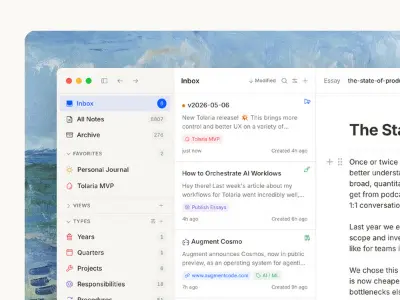
    Bildhuus Aspect is a photo organization software developed by former Nik Software colleagues. They spent four years building it, believing that traditional star ratings and color labels are antiquated and that something better is needed for photo organization.

    The main features and characteristics of Aspect include:

    • Novel Collection based Organization Approach: Aspect introduces a new approach to photo organization using "Collections". Collections are described as combining the best aspects of albums, tags, color labels, star ratings, and folder hierarchies into a single, clear, and fast concept. Unlike ratings or color labels, collections have names, making their meaning always clear. Aspect supports organizing photos into events/shootings/projects or a loose flow ordered by date, or both simultaneously.

    • Peer-to-peer Synchronization across Devices: Aspect includes built-in peer-to-peer synchronization technology. This allows your photo library to be accessible on all your devices without relying on cloud storage, which is seen as beneficial for high-resolution imagery like large RAW files and videos.

    • Transparent and Automated Photo Storage: Aspect's organization of your photos is mirrored to the file system on your computer. Changes made within the file system are recognized and incorporated by Aspect, and vice-versa. This transparency means your work is not trapped in an opaque database.

    • Standard Metadata and Open Formats.

    • No Subscriptions, No Cloud: Aspect has a business model based on a one-time purchase (early-access to Aspect Pro is available for a percentage off) or download (version 1.0.0-rc.19 is available). They believe photo archives should be independent of storage subscriptions and monthly payments, and users should retain full rights and privacy regarding their photos, without cloud companies using or analyzing them for profit.

    In essence, Aspect redefines photo organization by moving beyond traditional methods, offering a transparent, non-cloud, and synchronized solution focused on a new "Collections" concept.

  • ProtonURL
    May 30, 2025

    ProtonURL

    Tool used to share information secret, private or non-private with a link whose content will be deleted on first reading.

    Read more
  • ProtonURL
    ProtonURL ProtonURL

    Tool used to share information secret, private or non-private with a link whose content will be deleted on first reading.

    protonURL is a service designed for the secure and confidential sharing of information (secret, private, or non-private) via a link.

    The main features and characteristics of protonURL include:

    • Secure and confidential sharing.

    • End-to-end encryption (optional, by default your content is encrypted with a protonURL secret key). The content is encrypted with the AES-256-CBC algorithm. A different key and Initialization Vector (IV) are used for each content. The IV is stored separately from the encrypted data.

    • Single use: The content of the protonURL link is deleted upon the first reading or access. This feature is an important security measure to protect the confidentiality of the data and ensure it can only be viewed once, reducing the risk of leaks or misuse.

    • Automatic deletion:

      • The protonURL and its content are automatically and permanently deleted from their servers as soon as they are accessed.

      • There is a default automatic deletion policy for unaccessed links: they are deleted after 72 hours.

      • It is possible to modify the lifespan of the link in the advanced options. If the link is not accessed during the selected duration or within the default 72 hours, it will be permanently deleted.

    • No permanent storage: protonURL does not store shared data on its servers after it has been accessed. The data is temporarily stored on their servers only for the duration of the sharing link.

    • No tracking: protonURL does not store a copy of the shared data on its servers and does not track the activity of viewing sharing links. They do not keep any record of the shared content or of the people who have viewed the sharing links.

    • Secret key (optional): The user can activate an option to encrypt the content with a private key they define. This key is not saved by protonURL. It is crucial that the user saves this key and sends it to the recipient so that they can decrypt and display the content. Without this key, it will be impossible to retrieve the content. If a wrong key is used, the system will try to decrypt, the content will be displayed still encrypted, and then it will be deleted like a classic protonURL as soon as it is displayed.

    • Advanced options: Allow choosing the expiration duration of the link.

    • Secure servers in Europe: Encrypted data is stored on secure servers in Europe and is constantly monitored to ensure its security and confidentiality.

    • Proof of deletion: The service offers a "proof of deletion" that allows verifying the cryptographic trace of the deletion of data associated with a URL, either after access or upon expiration. By entering the URL, you can check this proof to ensure the confidentiality and integrity of the shared data.

    • Pre-filled links: It is possible to create protonURL links with the text field pre-filled using the prefilled parameter in the URL, whose content must be base64 encoded. This feature is intended for experienced users, and the base64 encoded pre-filled content is not encrypted. It should be used with care and only displayed to people who are already aware of the content or to whom this content is voluntarily sent, not to the public.

    • The service is particularly useful for avoiding sending passwords or sensitive content via email or SMS, as with protonURL, all that will remain in these inboxes is a link to content that no longer exists.

    In summary, protonURL focuses on confidentiality, security, and the self-destruction of shared information after a single viewing and/or a limited period, using encryption and automatic deletion to ensure that data does not persist.

  • Tubo
    May 30, 2025

    Tubo

    Tubo is a streaming front-end focused on bringing the NewPipe experience to the web.

    Read more
  • Tubo
    Tubo Tubo

    Tubo is a streaming front-end focused on bringing the NewPipe experience to the web.

    Tubo is a libre streaming front-end for the web. Its goal is to bring the NewPipe experience to the web by providing a clean and simple user interface to consume media from various streaming platforms. It currently supports the same services as NewPipe, including YouTube, SoundCloud, Bandcamp, and more.

    The main features listed for Tubo include:

    • No ads.

    • Background player.

    • Playback queue.

    • User playlists.

    • System/Light/Dark themes.

    Furthermore, Tubo supports several browser extensions like Redirector, LibRedirect, Predirect, and Privacy Redirector. These extensions can redirect links from supported services to Tubo, allowing content to be viewed through the application. For example, Redirector allows you to create redirect rules based on regex patterns for services like YouTube, SoundCloud, Bandcamp, PeerTube, and media.ccc.de to Tubo. LibRedirect and Privacy Redirector support Tubo by default for YouTube and SoundCloud, while Predirect supports it for SoundCloud.