Open Source & Free Tools for Web Workers

Discover amazing tech resources, carefully handpicked to keep you up-to-date and elevate your efficiency. Already 1506 badass resources curated.

  • Remote Rocketship
    Sponsor

    Remote Rocketship

    Find Your Dream Remote Job. Search 100,000+ work from home jobs at top remote companies. Loved by 10,000+ remote workers

    Read more
  • Remote Rocketship
    Remote Rocketship Remote Rocketship Remote Rocketship Remote Rocketship

    Find Your Dream Remote Job. Search 100,000+ work from home jobs at top remote companies. Loved by 10,000+ remote workers

    Remote Rocketship is a powerful job search platform designed to help you land your dream remote career by uncovering thousands of opportunities that other job boards miss.

    Here are the key benefits that give you a competitive edge:

    • Access to "Hidden" Jobs: Unlike traditional job boards that require companies to pay for listings, Remote Rocketship scrapes the entire internet daily to find jobs directly from company websites. This ensures you don't miss out on positions from top companies that choose not to use paid platforms like LinkedIn.

    • A Crucial Head Start: In a competitive market, being first matters. The tool finds jobs as soon as they are posted, allowing you to submit your application before the competition even knows the role exists.

    • Effortless Job Hunting: Instead of manual searching, you can set up daily email alerts that deliver the latest openings tailored to your specific interests directly to your inbox.

    • Hyper-Targeted Search: You can filter through over 100,000 remote jobs using granular criteria such as minimum salary, tech stack (e.g., Python, AWS), visa sponsorship (H1B), or even "no degree required" roles.

    • Global and Diverse Opportunities: The platform covers a vast range of industries—including AI, Fintech, Cybersecurity, and Marketing—and tracks remote-friendly roles in the US, Canada, Europe, Brazil, and worldwide.

    • Authenticity and Trust: Built originally as a personal tool to help the founder's wife find work, the service focuses on providing legitimate, up-to-date work-from-home listings by checking company websites multiple times a day.

      The website link is an affiliate link.

  • Shipfast
    Sponsor

    Shipfast

    Ship your startup in days, not weeks. Shipfast is a NextJS boilerplate with all you need to build your SaaS, AI tool, or any other web app and make your first $ online fast.

    Read more
  • Shipfast
    Shipfast Shipfast Shipfast Shipfast Shipfast

    Ship your startup in days, not weeks. Shipfast is a NextJS boilerplate with all you need to build your SaaS, AI tool, or any other web app and make your first $ online fast.

    ShipFast is a comprehensive NextJS boilerplate designed to help entrepreneurs and developers launch startups as quickly as possible, ideally within minutes. It provides a pre-configured foundation that includes all the essential "plumbing" of a modern web application so users don't have to build common features from scratch.

    The main features of the tool include:

    • Full-Stack Infrastructure: It comes integrated with Next-Auth for user authentication (supporting Google OAuth and Magic Links) and offers out-of-the-box support for databases like MongoDB and Supabase.

    • Ready-to-Use UI Components: The boilerplate includes a wide array of React components specifically for conversion, such as pricing tables, FAQ sections, testimonials, and "Hero" sections.

    • Monetization & Communication: It features built-in integrations for Stripe subscriptions and payments, along with email handling systems for tools like Mailgun or Resend.

    • Optimized for Growth: The tool is pre-configured with SEO best practices, analytics, and customer support modules to help a new business scale.

    • Security & Reliability: It incorporates essential security features such as rate limiting, schema validation, and security headers to protect the application.

    • Centralized Customization: Most of the app's behavior is controlled through a single config.js file, which acts as the backbone of the application and simplifies the setup process.

    The project structure is designed for efficiency, with dedicated directories for API routes, database models, and library helper functions, allowing for a clean and scalable codebase.

  • Idle Until Urgent
    October 9, 2018

    Idle Until Urgent

    Philip Walton published a new article where he do a deep dive into improving website performance with a technique he's calling Idle Until Urgent.

    Read more
  • Idle Until Urgent
    Idle Until Urgent

    Philip Walton published a new article where he do a deep dive into improving website performance with a technique he's calling Idle Until Urgent.

    The tool described in this article is actually a web performance optimization strategy called "Idle Until Urgent", implemented using JavaScript helper classes (IdleValue and IdleQueue).

    Here is a summary of its principal characteristics:

    1. Core Purpose and Performance Goal

    The primary goal of the "Idle Until Urgent" strategy is to improve the responsiveness of a website, specifically targeting the First Input Delay (FID) metric. The strategy aims to ensure that FID remains under 100 milliseconds for 99% of page loads, as delays longer than 100ms are typically perceived as sluggish by users. The underlying problem it solves is the blocking of the browser’s main thread by long, synchronous JavaScript tasks, which prevents the browser from responding to user interactions.

    2. The "Idle Until Urgent" Mechanism

    This strategy is a hybrid approach positioned between eager and lazy code evaluation:

    • Idle Evaluation: The potentially expensive code is initially deferred and scheduled to run during the next available idle period using an API like requestIdleCallback.

    • Urgent Execution: If the value or the result of the task is needed immediately by another part of the program (e.g., a user interaction handler) before the idle period occurs, the scheduled idle callback is canceled, and the initialization function is run immediately and synchronously.

    • Task Management: By breaking up long synchronous code into smaller, distinct tasks (preferably less than 50ms), the strategy prevents the code from blocking user input, as the browser can prioritize input callbacks ahead of queued scheduled tasks.

    3. Implementation Tools

    The strategy can be implemented using specialized helper classes, available in the idlize package:

    • IdleValue: This class is designed for single, expensive property computations or values (e.g., initializing Intl.DateTimeFormat). It schedules the initialization function to run during idle time, but allows the value to be retrieved immediately via getValue() if needed urgently.

    • IdleQueue: This class manages a queue where multiple tasks (functions) can be scheduled to run when the browser has idle time. It can pause the execution of tasks to yield back to the browser if necessary.

    4. Guarantees and Use Cases

    The strategy addresses the reliability drawback of requestIdleCallback():

    • Ensuring Execution: For critical non-interactive tasks (like saving user state or analytics), the IdleQueue can be initialized with the option ensureTasksRun: true. This feature ensures that all pending tasks are run immediately before the page is terminated or discarded, typically by listening for the page's visibilitychange event (when visibilityState changes to hidden).

    • Applicable Scenarios: The strategy is well-suited for code that is essential but not critical to immediate user interaction. Specific examples include:

      • Analytics Code: Running initialization and sending event data idly.

      • Persisting Application State: Saving application state (e.g., Redux data) to localStorage.

      • Expensive Computations: Processing large sets of values, reading from localStorage or cookies, or calling layout APIs like getComputedStyle().

    5. Performance Benefits

    After implementing "Idle Until Urgent," the author demonstrated significant performance gains:

    • The longest synchronous task on the site was reduced from 233ms to 37ms.

    • The site achieved a 67% reduction in FID values at the 99th percentile (dropping from 254ms to 85ms).

    • The same amount of work is executed as before, but it is distributed over multiple, shorter tasks running during idle periods, resulting in a perfect Lighthouse score for Time to Interactive (TTI).

    6. Compatibility

    • As of the article's writing, requestIdleCallback() is natively supported by Chrome and Firefox.

    • The helper classes use a fallback to setTimeout in browsers that do not natively support requestIdleCallback(). This fallback is still beneficial because browsers can prioritize user input ahead of tasks queued via setTimeout().

  • Anchor let you start a podcast in 5 minutes
    October 9, 2018

    Anchor let you start a podcast in 5 minutes

    Anchor makes it as easy as possible to create a podcast. All you have to do is register on the Anchor website. You are then invited to create your first podcast. Give it a name, a description, an image to illustrate its coverage, then pushing it out into the world. And last but not least, Anchor is free and also provides a real audio editing environment.

    Read more
  • Anchor makes it as easy as possible to create a podcast. All you have to do is register on the Anchor website. You are then invited to create your first podcast. Give it a name, a description, an image to illustrate its coverage, then pushing it out into the world. And last but not least, Anchor is free and also provides a real audio editing environment.

  • Dress your screenshot with Shotsnapp
    October 9, 2018

    Dress your screenshot with Shotsnapp

    Shotsnapp is a simple tool made by by Gaddafi Rusli to quickly create beautiful device mockup presentation for your app and website design.

    Read more
  • Dress your screenshot with Shotsnapp
    Dress your screenshot with Shotsnapp Dress your screenshot with Shotsnapp Dress your screenshot with Shotsnapp

    Shotsnapp is a simple tool made by by Gaddafi Rusli to quickly create beautiful device mockup presentation for your app and website design.

    Shotsnapp is designed to create beautiful device mockup images for apps or website designs.

    Here is a summary of its principal characteristics:

    Core Functionality and Ease of Use

    • Purpose: shotsnapp allows users to show off their app or design by creating high-quality device mockup images that can be shared everywhere. It is also noted for generating nice framed phone/browser screenshots with shadows.

    • Simplicity and Speed: The tool is marketed as easy to use, allowing users to design mockups in seconds. The workflow involves choosing a device, adding an image (of the design or a screenshot), adjusting appearances, and then downloading the resulting mockup image.

    Design and Aesthetic Features

    • Device Variety: Users can select from a collection of various devices, including mobile phones, tablets, laptops, and smart watches.

    • Templates: The service provides beautiful pre-designed templates that users can choose from. The PRO option grants access to an unlimited number of pre-designed templates.

    • Customization: It offers custom fonts to improve the presentation of the message.

    • Backgrounds: Mockup images can be enhanced using amazing photos from Unsplash.

    Product Details and Pricing Model

    • Availability: shotsnapp can be used for free.

    • PRO Option: A PRO option is available for users who require more features. This option is described as super affordable.

    • PRO Cost: The cost for PRO access is $48 for 1 year, offered as a pay once purchase with no subscriptions.

    • Creator: shotsnapp is the product of a solo maker, @gaddafirusli, based in Malaysia.

    Feature Breakdown (Basic vs. PRO)

    The tool is offered in two tiers, Basic (Free) and PRO, which differ primarily in resource access and canvas flexibility:

    FeatureBasic (Free)ProCanvas ObjectsOne object per canvasUnlimited number of objects per canvas, including textTemplatesFree templatesChoose from unlimited pre-designed templatesUnsplash AccessCurated Unsplash photosSearch from unlimited photos on UnsplashDevice ModelsStandard collectionAccess to more device model styles and variationsExport FormatExport as PNG or JPEGExport as PNG or JPEG image

  • /e/ mobile phone operating system
    October 9, 2018

    /e/ mobile phone operating system

    You want to be free from Google and Apple operating system on your mobile phone? You want to use an open source operating system which is far more respectful of user’s data privacy? Check the project /e/ out. A first beta is now available.

    Read more
  • /e/ mobile phone operating system
    /e/ mobile phone operating system /e/ mobile phone operating system

    You want to be free from Google and Apple operating system on your mobile phone? You want to use an open source operating system which is far more respectful of user’s data privacy? Check the project /e/ out. A first beta is now available.

    1. Core Mission and Privacy Philosophy

    The primary focus of the e Foundation is data privacy.

    • Data Sovereignty: The foundational belief is that "Your data is YOUR data!".

    • Privacy by Design: The system is built to provide privacy by design, aiming to help users "escape from Mobile Surveillance".

    • Non-Tracking Guarantee: The foundation is committed to not scanning data (on the phone or in the cloud), not logging or tracking GPS location, and not collecting what users are doing with their apps. They state they "never will".

    • Non-Profit and Open Source: The e Foundation is a non-profit organization leading the development of Open Source mobile operating systems that respect users’ data privacy.

    2. /e/OS Operating System

    /e/OS is a mobile operating system based on fully deGoogled Android.

    • Design and Experience: The OS is described as having a new, optimized appearance in its User Interface and is considered a "very pleasant to use OS". The development is supported by a great support team working hard on the beta with very regular updates.

    • Compatibility: Despite being "deGoogled," the OS is compatible with all apps, allowing users to run most of their favorite applications, access bank accounts, chat, and play games.

    3. Advanced Privacy and Security Features

    /e/OS includes built-in features to protect the user from tracking and surveillance.

    • App Tracker Evaluation: Each app in the /e/OS app store is scanned and analyzed. Users are informed about trackers found in apps, allowing them to see which apps are safe and which should be avoided regarding personal data.

    • Advanced Privacy Widget: This widget provides users with control over their digital footprint.

      • It allows users to choose whether or not to stay tracked.

      • It offers features for hiding the IP address or geolocation when desired.

    • Ad Blocking: An ad blocker is enabled by default in the web browser. This feature, combined with the tracker control, helps users enjoy a digital life with very few or no ads in applications and on the web.

    4. Ecosystem and Services (Murena)

    The e Foundation offers supporting products and services:

    • Murena Smartphones: Users can purchase a Murena smartphone with /e/OS pre-installed.

    • Murena Workspace Account: Users can sign up for a FREE Murena workspace account.

      • The account includes a unique and personal @murena.io ID.

      • It comes with 1 GByte of cloud storage and other benefits.

    • Community and Resources: The project is supported by a vibrant growing international community of entrepreneurs and developers. Resources include Documentation and Source Code available for developers and users.

  • Lesspass, stateless password manager
    October 9, 2018

    Lesspass, stateless password manager

    Storing password in a data base is not safe. LessPass computes a unique password using a site, login and a master password. Use LessPass in your browser, with a browser extension, on your mobile, on your server or in your terminal via a CLI client.

    Read more
  • Lesspass, stateless password manager
    Lesspass, stateless password manager Lesspass, stateless password manager

    Storing password in a data base is not safe. LessPass computes a unique password using a site, login and a master password. Use LessPass in your browser, with a browser extension, on your mobile, on your server or in your terminal via a CLI client.

    Core Functionality and Design

    • Computation over Storage: LessPass operates by computing passwords rather than generating and storing random ones in a file.

    • Unique Password Generation: It generates unique passwords for websites or accounts based on a master password and information you know (such as the login and site name).

    • Pure Functionality: The system relies on a pure function; given the same input parameters (login, master password, site, and options), it will always return the same, unique password.

    • No Database or Synchronization Required: LessPass is designed to operate completely offline and without a database. It does not need to sync your devices, eliminating common synchronization problems associated with traditional password managers. There is no need to save your passwords in an encrypted file.

    Security and Openness

    • Open Source: LessPass is open source (GPLv3 license), meaning the source code is available and can be audited.

    • Brute Force Protection: To increase the cost of breaking the master password by brute force, the tool uses PBKDF2 with 100,000 iterations and the sha-256 hash function.

    • Open Culture: The developers refuse to install cookies or analysis tools (like Google Analytics) on their applications. They document their algorithms, aiming for "no magic, no black box".

    Availability and Features

    • Wide Accessibility: LessPass is accessible via any device with a browser.

    • Multiple Interfaces: Beyond the official website, it is available as an Android application, a Chrome extension, a Firefox extension, and a command line interface.

    • Complex Rules Handling: It supports complex, site-specific password rules (e.g., length, requiring only numbers) through a "connected" version. This version saves a password's profile (including options like length or required character types), but excludes the master password and the generated password.

    • Password Rotation: Users can generate a new password without changing the master password by simply incrementing the "counter" field in the options.

    • Self-Hosting Option: Users have the ability to host their own LessPass Database if they do not wish to use the official one, requiring docker and docker-compose installed on their machine.

  • 30 Seconds of CSS
    October 9, 2018

    30 Seconds of CSS

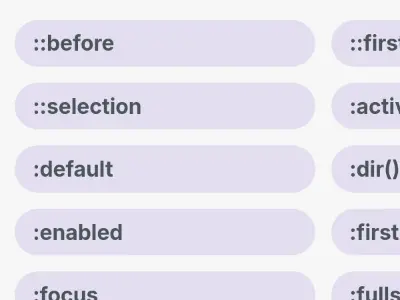
    A curated collection of useful CSS snippets you can understand in 30 seconds or less.

    Read more
  • 30 Seconds of CSS
    30 Seconds of CSS

    A curated collection of useful CSS snippets you can understand in 30 seconds or less.

    "30 Seconds of CSS" is a curated collection of useful CSS snippets intended to be understood in 30 seconds or less.

    Here are the principal characteristics and categories of the snippets included in this collection:

    Core Purpose and Utility

    • Curated Collection: It provides CSS solutions for common design and layout challenges.

    • Accessibility and Speed: Snippets are designed to be easily understood. Each snippet includes the necessary HTML and CSS, a demo, and a detailed explanation of how the code works.

    • Browser Support: Each entry lists the current browser support percentage, often noting if prefixes are required for full coverage.

    Main Categories of Snippets

    The collection is divided into several major categories covering key areas of web development:

    1. Layout (Positioning and Structure)

    This category addresses how elements are positioned on the page.

    • Centering Techniques: Includes modern methods like Flexbox centering and Grid centering (horizontally and vertically), as well as older alternatives like Display table centering and Transform centering.

    • Box Model Management: Features a Box-sizing reset which ensures that an element's defined width and height are not affected by its border or padding.

    • Responsive Ratios: Provides a snippet for maintaining a Constant width to height ratio on elements with variable width.

    • Space Distribution: Includes Evenly distributed children using justify-content: space-between.

    • Accessibility Hiding (Offscreen): Offers a "bulletproof way" to hide an element visually and positionally while keeping it accessible to screen readers, useful for ADA development.

    2. Visual (Aesthetics and Styling)

    This category focuses on decorative and stylistic effects.

    • Text Effects: Includes Gradient text (using proprietary -webkit- properties), Etched text, and techniques for Truncate text (single line with ellipsis) or Truncate text multiline (ending with a gradient fade).

    • Customization: Features snippets for creating Custom scrollbars (on WebKit platforms), applying Custom text selection styles, and using a System font stack to mimic a native app feel.

    • Shapes and Borders: Shows how to create simple CSS shapes like a Circle or a Triangle, and how to achieve a Hairline border using box-shadow and media queries based on device pixel ratio.

    • Dynamic Graphics: Features a Dynamic shadow that uses inheritance and blur filters to create a shadow based on the element's own gradient color.

    3. Animation and Interactivity

    This section provides dynamic visual effects and user experience improvements.

    • Loaders: Examples include a Bouncing loader (using translate3d() for performance) and a Donut spinner.

    • Transitions: Snippets for Height transition (from 0 to auto, requiring JavaScript) and using Easing variables (cubic-bezier values) for powerful timing functions.

    • Hover Effects: Examples include Hover underline animation, Hover Shadow Box Animation, and Sibling fade (fading out unhovered siblings).

    • Form Interaction: Includes a CSS-only Toggle switch and Focus Within to style a parent element when one of its children is focused.

    4. Other/Utility

    This covers powerful CSS features and general utilities.

    • Mathematical Functions: The Calc() function allows defining values using mathematical expressions, permitting the use of different units (e.g., pixel and percent) together.

    • CSS Variables: Demonstrates defining and reusing Custom variables globally within the :root pseudo-class.

    • Counters: Explains how to use Counters (variables maintained by CSS) to create automatically numbered, outlined lists.

    • Style Reset: Provides the Reset all styles snippet using all: initial to reset all properties to their default values.

  • FlipSide
    October 9, 2018

    FlipSide

    A button that seamlessly transitions from action to confirmation made by Hakim El Hattab, the author of https://slides.com/

    Read more
  • FlipSide
    FlipSide

    A button that seamlessly transitions from action to confirmation made by Hakim El Hattab, the author of https://slides.com/

    Flipside is a button that seamlessly transitions from action to confirmation created with few lines of CSS and jQuery.

  • Newsletter Hunt
    October 16, 2018

    Newsletter Hunt

    Follow your favorite newsletters : Newsletter Hunt allows you to create RSS-like feeds from your favorite newsletters.

    Read more
  • Newsletter Hunt
    Newsletter Hunt

    Follow your favorite newsletters : Newsletter Hunt allows you to create RSS-like feeds from your favorite newsletters.

    NewsletterHunt focuses on aggregating and managing newsletter content.

    Its principal functionality is to:

    • Create RSS-like feeds for all of your favorite newsletters.

    The goal of this feature is to ensure that users never miss out on the news and updates that matter to you.

  • Introduction to Firebase
    October 16, 2018

    Introduction to Firebase

    As a mobile developer, using a back-end as a service (BaaS) platform can help you swiftly implement your ideas. Firebase has all the key features you need for rapid prototyping and quickly testing out your ideas. Read this introduction to Firebase tutorial written by Deepthi Bhattachar.

    Read more
  • Introduction to Firebase
    Introduction to Firebase

    As a mobile developer, using a back-end as a service (BaaS) platform can help you swiftly implement your ideas. Firebase has all the key features you need for rapid prototyping and quickly testing out your ideas. Read this introduction to Firebase tutorial written by Deepthi Bhattachar.

    The article, titled "Intégration et Authentification Firebase sur iOS" (Firebase Integration and Authentication on iOS), serves as a tutorial and comprehensive guide on integrating and configuring the Firebase back-end as a service (BaaS) platform within an iOS mobile application, with a specific focus on user authentication.

    Here is a summary of the key content:

    Firebase as a Solution for Rapid Prototyping

    The article highlights that mobile applications require a back-end server for user login and data synchronization. Firebase makes it easy for developers to test out ideas quickly—an era characterized by rapid prototyping—by providing essential back-end functionality, such as authentication, database services, and object storage, thus eliminating the need for server-side coding knowledge or time. Furthermore, Firebase includes useful capabilities for prototype validation, including analytics, A/B testing, and push notifications. The service is free for small projects.

    Step-by-Step iOS Integration

    The core of the article outlines the technical steps required to set up an iOS project (named MyFirstFirebaseApp) with Firebase:

    1. Project Setup: Creating a new Single View App Xcode project.

    2. Dependency Management: Initializing and using CocoaPods to add the prerequisite libraries via the Firebase/Core pod.

    3. Firebase Account Configuration: Creating an account in the Firebase Console (a Google product) and creating a new project. Although free for prototyping, the author notes the need to be aware of the pricing structure for production use.

    4. App Registration: Registering the iOS app, downloading the essential GoogleService-Info.plist file (which contains basic configuration information like client ID, API Key, and database URL), and adding it to the Xcode project.

    5. Initialization: Adding the initialization code (import Firebase and FirebaseApp.configure()) to the AppDelegate.swift file to ensure Firebase is correctly set up when the app launches.

    User Authentication and Management

    The article details the various user management and sign-in options available through the Firebase Dashboard's Authentication section, where developers can choose one or multiple methods:

    • Standard Methods: Email/Password, Google, Facebook, Twitter, GitHub, and Anonymous guest accounts.

    • Phone Authentication: Allows sign-in using a mobile phone number, with Firebase SDK tools for verification. This method is free for the first 10,000 logins per month under the free Spark plan.

    Implementing Phone Authentication

    The tutorial dedicates significant attention to configuring and implementing Phone Authentication in Swift:

    1. Configuration: Requires enabling Phone authentication in the Firebase Console and including the Firebase/Auth pod.

    2. Push Notifications and reCAPTCHA: It necessitates enabling push notifications in the Xcode project. It also requires configuring reCAPTCHA verification (using the REVERSEDCLIENTID in the Xcode URL Schemes) as a fallback mechanism if silent push notifications cannot be received (e.g., when using an iOS simulator or if background refresh is disabled).

    3. Cloud Messaging Setup: The tutorial includes instructions for configuring Firebase Cloud Messaging (FCM) by uploading APNs certificates and the APNs authentication key to the Firebase Console.

    4. Code Implementation: The provided Swift code utilizes RegistrationService to call PhoneAuthProvider.provider().verifyPhoneNumber, which sends a One-Time Password (OTP) to the user's phone. Upon receiving a verificationID, the app prompts the user to input the OTP via an alert dialog. Finally, the signIn method creates a Firebase credential using the verificationId and the OTP, completing the user sign-in process.

  • Accessibility cheat sheet
    October 16, 2018

    Accessibility cheat sheet

    Practical approaches to Universal Design for making your website/webapp accessible to everyone.

    Read more
  • Accessibility cheat sheet
    Accessibility cheat sheet

    Practical approaches to Universal Design for making your website/webapp accessible to everyone.

    This cheatsheet provides practical, open-source approaches (version 1.1.2, 2025-03-28) for making websites and web applications accessible to everyone.

    Design for Accessibility Principles

    1. Use Semantic HTML: Employ a logical headline order and structuring elements like <header>, <footer>, <ul>, and <p>. Semantic HTML helps screen readers understand the content structure and meaning.

    2. Provide Text for Non-Text Content: All content not represented by text must be made visible to screen readers. This involves providing concise descriptions in alt attributes for content images and charts, and ensuring CAPTCHAs are also accessible.

    3. Label Form Elements: Form input elements require linked <label>s for screen reader access (e.g., <label for="search">Search</label><input id="search">). The placeholder attribute is not an alternative.

    4. Show Focus Visibility: When navigating by keyboard, the currently focused element must be visibly highlighted. Interactive elements should be focusable by default and focused in a useful order (e.g., use a <button> instead of a <span>).

    5. Use Contrasting Colors: Ensure adequate color contrast.

    6. Understandable Without Color: Colors should not be necessary to understand the content or its current state. For example, do not highlight errors solely with red text; add a subsidiary icon.

    7. Write Descriptive Links: Links should be descriptive.

    8. Caption Video and Audio: Provide text alternatives (captions) for both pre-recorded and live video and audio content. Voice recognition software can assist in creating captions.

    9. Keep Pinch and Zoom Alive: Pinching to zoom is important for low vision and aging users. Use the <meta name="viewport" statement with user-scalable="yes". Avoid using user-scalable="no" and maximum-scale: 1.

    10. Use WAI-ARIA Sparingly: WAI-ARIA should only be used if necessary, particularly for complex dynamic sites (such as single page applications). Semantic HTML should always be considered before using WAI-ARIA.

    Methods for Testing Accessibility

    1. Zoom to 400%: Use the browser or document viewer zoom to verify that all text remains visible.

    2. Check Keyboard Navigation: Navigate solely using the standard keyboard keys: ← ↑ ↓ →, TAB, SHIFT+TAB, ESC, SPACE, and ENTER.

    3. Use a Screen-Reader: Turn off the monitor and use a screen reader, such as Apple Voiceover or NVDA on Windows.

    4. Run Lighthouse Audit: Execute the Lighthouse accessibility audit, which is located in the “Audits” section inside of the Chrome DevTools.

    5. Deactivate CSS: Check if the document structure still makes sense when CSS is deactivated.

  • PDF.JS library
    October 16, 2018

    PDF.JS library

    A general-purpose, web standards-based platform for parsing and rendering PDFs.

    Read more
  • PDF.JS library
    PDF.JS library PDF.JS library

    A general-purpose, web standards-based platform for parsing and rendering PDFs.

    PDF.js is a project structured into distinct architectural layers designed to handle the interpretation, rendering, and display of PDF files.

    Here are the principal functionalities and features of this tool:

    1. PDF Interpretation and Rendering

    PDF.js functions by separating core processing from user interaction through three distinct layers:

    • Core Layer: This foundational layer is responsible for parsing and interpreting a binary PDF. It is the basis for all subsequent layers, although direct use of its API is considered advanced.

    • Display Layer: This layer uses the Core layer to expose an easier-to-use API. Its main functions are to render PDFs and extract other information out of a document.

    • Viewer Layer (User Interface): Built on the Display layer, the Viewer provides the UI for the PDF viewer utilized in Firefox and other browser extensions. This viewer component can serve as a good starting point for building your own viewer.

    2. Customization and Development

    The Viewer layer offers a ready-made UI, but creators are asked that if they plan to embed it in their own site, they should re-skin it or build upon it rather than using an unmodified version.

    3. Accessibility and Distribution

    PDF.js is designed for flexible distribution and deployment:

    • Prebuilt and Source Versions: The tool is available in both Prebuilt (for modern and older browsers) and Source versions. The source code can be cloned using Git.

    • CDN Inclusion: PDF.js is hosted on several free CDNs (including jsdelivr, cdnjs, and unpkg) for easy inclusion into web projects.

    • Browser Support: Information about supported browsers is maintained on a dedicated wiki page.

    • Testing and Examples: The source and prebuilt versions include a testing PDF file (compressed.tracemonkey-pldi-09.pdf) and various folders containing simple usage examples. The distribution also includes translation files in locale/ and l10n/.

  • Sublime Merge
    October 16, 2018

    Sublime Merge

    Sublime Merge is a new Git client, from the makers of Sublime Text.

    Read more
  • Sublime Merge
    Sublime Merge Sublime Merge Sublime Merge

    Sublime Merge is a new Git client, from the makers of Sublime Text.

    Sublime Merge is a sophisticated, cross-platform Git client designed for speed and precision, aiming to handle Git operations "the Sublime Text way".

    Here is a summary of its principal functionalities:

    Performance and Speed

    Sublime Merge sets the bar for performance due to a zippy cross-platform GUI toolkit and a custom high-performance Git reading library. The client is described as being "really, really fast", allowing users to stage Files, Hunks, and Lines with no waiting.

    Staging and Committing

    The tool offers precise and flexible staging. Key features include:

    • Line-by-line Staging.

    • Hunk staging.

    • The ability to select one or more lines to split hunks into multiple changes.

    • Commit Editing.

    Reviewing and Diffs

    Sublime Merge provides robust tools for code review:

    • Side by Side Diffs.

    • Character Diffs.

    • Unmatched Syntax Highlighting powered by the Sublime Text engine. This helps users understand exactly what has changed in a commit. The tool supports over 40 languages out of the box.

    • Users can interactively show more context lines by dragging the top or bottom of a hunk.

    Search Capabilities

    The client features a powerful search system that offers instant search over the whole repository. This includes find-as-you-type search. Searches can be executed by commit message, author, path, and contents.

    Conflict Resolution and Git Integration

    • A built-in merge tool allows for quick, painless resolution of merge conflicts.

    • The platform is built around "Real Git", allowing users to view the exact Git commands they are using.

    • It supports a seamless transition between the command line and Sublime Merge.

    • Integration includes Git Flow Integration and Command Line Integration.

    Additional Features

    The tool also includes features such as:

    • Command Palette

    • Blame and File History

    • Submodule Management

    • An adaptable layout and powerful theming system.

  • Elementary OS
    October 16, 2018

    Elementary OS

    The fast, open, and privacy-respecting replacement for Windows and macOS.

    Read more
  • Elementary OS
    Elementary OS Elementary OS Elementary OS Elementary OS

    The fast, open, and privacy-respecting replacement for Windows and macOS.

    Elementary OS 8, which is positioned as a thoughtful, high-performance, and ethical alternative to Windows and macOS. It is entirely Open Source, built upon the foundation of Free Software (GNU/Linux), and designed to be easy to understand, even for new users.

    The principal functionalities and features of elementary OS 8 are:

    Core System and Security

    • Secure Session: elementary OS 8 introduces a secure session that ensures applications respect user privacy and require explicit consent.

    • Privacy Focus: The OS is designed to be secure and privacy-respecting. User data always belongs to the user; the company does not run advertising or collect sensitive personal data.

    • Open Source Platform: The entire platform is open-source, allowing anyone to verify that the software is secure and does not collect or disclose personal information.

    • Monitoring and Permissions: The OS provides indicators when an application uses the microphone or consumes significant battery power. Applications must request permission before accessing data or devices, and users can revoke these permissions via System Settings.

    • Automatic Cleaning: The system automatically tidies temporary and deleted files, freeing up storage space and ensuring private data does not remain accessible.

    Productivity and User Experience

    • Multitasking Tools: Features are included to keep users productive and focused, such as the Multitasking View and Do Not Disturb mode, which pauses notifications.

    • New Dock: A new Dock includes productive multitasking and window management functions.

    • Workspaces: Allows users to organize their work by task, easily separating work and leisure.

    • Picture-in-Picture (PiP): This mode lets users keep an eye on a video or game while working on another task (like a terminal).

    • Keyboard Shortcuts: The OS is designed with powerful and customizable keyboard shortcuts to maintain productivity.

    Application Ecosystem

    • AppCenter: elementary OS features the AppCenter, an open-source and pay-what-you-can app store. Every application in the AppCenter is reviewed by elementary to ensure a native, privacy-respecting, and secure user experience.

    • Default Applications: The OS includes a carefully curated set of daily-use applications, ensuring users can spend more time using their computer and less time removing unnecessary pre-installed software. These apps include:

      • Music: For organizing and playing music, featuring fast search and playlist creation.

      • Web: A fast and light browser designed to protect privacy and battery life.

      • Mail: Manages multiple accounts with conversation grouping and rapid searching.

      • Photos: For importing, organizing, editing photos, creating slideshows, and sharing.

      • Videos: Offers smart viewing with library management, thumbnail previews, and subtitle support.

      • Calendar: Easily views and creates events, synchronized with online accounts.

      • Files: Features easy navigation via breadcrumbs, tabs, and tab history.

      • Terminal: Includes features like changeable color palettes (to reduce eye strain), smart naming, and notifications for completed tasks.

      • Code: A custom-built editor featuring autosave, project folders, Git integration, minimap, and support for extensions and Vala symbols.

      • Camera: For taking photos or videos easily using an integrated or USB webcam.

    Parental Controls

    • Screen Time and Limits: Users can define time restrictions per user for weekdays, weekends, or both.

    • Internet and App Management: Tools allow managing authorized websites and selecting which applications a child can access, with the option to authorize access via a password.

  • Microjs
    October 16, 2018

    Microjs

    MicroJS, find your mini js framework with this online search engine. By Thomas Fuschs

    Read more
  • Microjs
    Microjs

    MicroJS, find your mini js framework with this online search engine. By Thomas Fuschs

    Definition and Philosophy

    Microjs.com is a "micro-site for micro-frameworks" and micro-libraries. This concept contrasts with the use of favorite monolithic frameworks, which are often bulky (50K, 100K, 150K, or more) and where the majority of the code is not truly utilized by the user.

    Micro-frameworks are metaphorically described as the "pocketknives of the JavaScript library world", offering a quicker and smarter solution than a "ride-on John Deere tractor with air conditioning and six-speaker sound system".

    Fundamental Characteristics of Micro-frameworks

    Micro-frameworks possess very specific characteristics:

    1. Compact Size: They are very portable because their size is generally 5k and under (minified and gzipped).

    2. Single Functionality: A micro-framework does one thing and one thing only — and does it well.

    3. Code Purity: They are "short, sweet, to the point". There is "no cruft, no featuritis, no feature creep, no excess anywhere".

    Functionality of Microjs.com

    The primary goal of the Microjs.com site is to help developers:

    • Discovery: It helps to discover the most compact-but-powerful micro-frameworks.

    • Selection: It makes it easy for the user to pick one that will work for them.

    • Contribution: The site allows the community to add their own frameworks by forking the site on GitHub, adding the framework to data.js, and submitting a pull request.

    Microjs.com is an initiative of Thomas Fuchs, dating from 2011 to 2019.

  • WebPerl
    October 16, 2018

    WebPerl

    WebPerl uses the power of WebAssembly and Emscripten to let you run Perl 5 in the browser!

    Read more
  • WebPerl
    WebPerl

    WebPerl uses the power of WebAssembly and Emscripten to let you run Perl 5 in the browser!

    WebPerl is a project designed to run Perl in the browser.

    Core Technology and Functionality

    • WebAssembly Port: WebPerl utilizes the power of WebAssembly (Wasm) and Emscripten.

    • Direct Binary Port: Critically, WebPerl does not translate Perl code to JavaScript. Instead, it is a port of the standard perl binary to WebAssembly, ensuring users have the full power of Perl at their disposal.

    • Perl 6 Support: It offers experimental Perl 6 support.

    • Browser Interaction: Perl code running via WebPerl can interact with JavaScript elements. For example, it can target elements by ID, add event listeners, and trigger JavaScript functions like window.alert.

    • Output Handling: By default, standard output (such as the result of a print statement) goes to the JavaScript console.

    Status and Availability

    • Development Status: WebPerl is very much in beta. The developer notes that some features may not work yet, and parts of the API may still change. Feedback is appreciated.

    • Open Source: The project's sources are available on GitHub (haukex/webperl).

    • Related Tools: Beta web applications written using WebPerl are available, including the WebPerl Code Demo Editor and the WebPerl Regex Tester.

    Usage and Deployment

    • Prerequisites: To use the Quick Start method, users need a recent version of Perl (recommended v5.26 and up) and cpanm to install dependencies.

    • Deployment: WebPerl can be deployed by downloading the prebuilt ZIP archive (e.g., webperlprebuiltv0.09-beta.zip), installing dependencies via cpanm, and running plackup webperl.psgi.

    • Hosting: Content can be accessed locally via a browser at http://localhost:5000/ after running plackup. Alternatively, the contents of the ZIP archive can be hosted on a webserver of the user's choice.

    • Examples: The ZIP archive contains several examples, including webperl_demo.html.

  • Awesome actions
    October 16, 2018

    Awesome actions

    A curated list of awesome actions to use on GitHub by Sarah Drasner

    Read more
  • Awesome actions
    Awesome actions

    A curated list of awesome actions to use on GitHub by Sarah Drasner

    GitHub Actions is a feature used to automate any workflow and automate the workflow from idea to production. Actions are triggered by GitHub platform events directly in a repository and run on-demand workflows on Linux, Windows, or macOS virtual machines, or inside a container.

    The principal functionalities of GitHub Actions, as detailed by the curated list, cover a vast spectrum of software development, testing, and deployment:

    Workflow Automation and Core Management

    • Workflow Tool Actions: Includes setting up the repository (actions/checkout), and handling build outputs by uploading and downloading artifacts (actions/upload-artifact, actions/download-artifact).

    • Caching: Actions can cache dependencies and build outputs.

    • GitHub Automation: Automating management for issues, pull requests, and releases, such as creating releases, automatically labeling pull requests based on criteria, deleting package versions, and marking stale issues.

    • Utility: Providing general utility functions like running ssh-agent, generating release notes, enforcing policies on repositories, and managing GitHub labels as code.

    • Configuration Setup: Quickly setting up workflows with specific versions of major programming languages, including Node.js, Python, Go, Java, Ruby, and Elixir, and setting up environments, such as installing Conda.

    Continuous Integration and Quality Assurance (CI/QA)

    • Testing and Static Analysis: Running static code analyzers (e.g., PHPStan, GraphQL Inspector), and performing various tests using tools like Puppeteer, Cypress, Unity, and TestCafe.

    • Linting: Supporting extensive linting functionality for numerous languages and files (e.g., ESLint, Hadolint for Dockerfiles, TSLint, autopep8 for Python, golangci-lint, and linters for composer.json and .env files).

    • Code Coverage and Monitoring: Scanning code with SonarCloud or sending coverage results to Codecov/CodeClimate. Monitoring webpage health with Google Chrome's Lighthouse tests and continuously benchmarking.

    • Semantic Versioning: Functionalities exist to output the next version, cut release branches, and increment semantic versions based on the release type.

    Security and Secrets Management

    • Vulnerability and Secret Scanning: Includes vulnerability scanners for Docker images and security linters for Python code.

    • Security Management: Defining and syncing secrets using tools like AWS Secrets Manager, SecretHub, and Secrets Sync Action.

    Deployment and Hosting

    • Deployment to External Services: Supporting deployment to a wide range of external services and platforms, including Netlify, Spotify, PyPI, Docker registries, Azure Storage, and AWS CodeDeploy.

    • Cloud and Container Services: Specific integrations for Docker (building and pushing images to various registries like ECR and GitHub Package Registry) and Kubernetes (using kubectl, Pulumi, or Kustomize).

    • Static Site Deployment: Building and publishing static content sites built with various generators (Zola, Hugo, Jekyll, Hexo) to GitHub Pages.

    Specialized and Niche Features

    • Notifications and Messaging: Sending messages and notifications to various channels like Discord, Slack, Telegram, SMS (via Nexmo or Clockworksms), and creating Outlook Calendar Events.

    • Machine Learning Ops (MLOps): Functionalities supporting MLOps workflows, such as submitting Argo Workflows, running parameterized Jupyter Notebooks, and integrating with Azure Machine Learning.

    • Frontend Tools: Specific actions for Gatsby, Hugo extended, and running WebPageTest audits.

    • C/C++ Build: Supporting multi-platform builds using CMake and Ninja, and installing dependencies with vcpkg.

    • Database and Networking: Setting up Cassandra Schema and connecting the runner to a ZeroTier network.